🎯 Approved by Pinterest · Official API

AI Pinterest Automation: Hundreds of Pins & Blog Posts in 1 Click

AI turns hundreds of your pages into designed pins, writes and publishes new blog posts with images, and schedules everything to Pinterest — so you build real growth and save hours every week.

  • ⚡ AI Auto-Creates Pin Images for Hundreds of Pages in 1 Click & Schedules Them
  • ✍️ AI Auto Blog: Creates & Publishes Posts With Images, Then Schedules Pins
  • ♾️ Unlimited Templates & Fonts + Free Canva-Style Editor — No Canva Pro Needed
  • 🤖 AI Writes Titles, Descriptions, Alt Text & Keywords
  • 💯 AI Picks the Best Board — or Creates One
📈 Build real growth ⏱️ Save hours every week ✅ Official Pinterest API

Loved by bloggers, stores & agencies · Free to start · No card needed

Create a Pinterest Pin From Any Page — Free

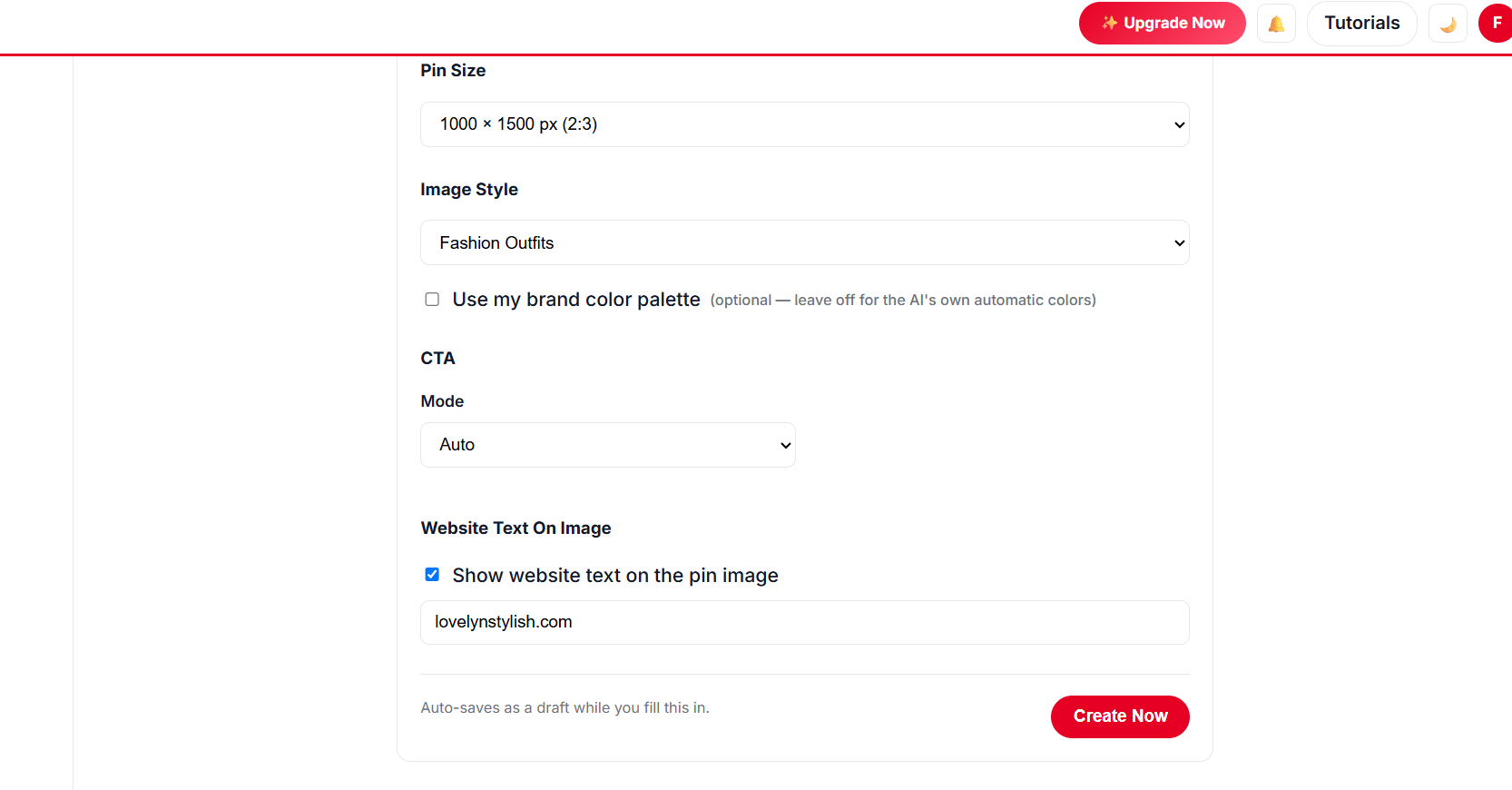
Paste a page URL, click Create Pin, and fine-tune size, style, CTA and brand colours before you generate.

20 free pins left in this session
⚡

AI Auto-Creates Pin Images for Hundreds of Pages — in 1 Click

Select hundreds of pages at once. AI designs every pin from your own photos, writes the title, description, alt text and keywords, picks the board and schedules it all.

Create a free account →
✍️

AI Auto Blog: Create, Publish & Pin

Paste a list of titles. AI writes each article with images, publishes it to your site on a daily schedule, and schedules pins for every post automatically.

Sign up free to auto blog →
♾️

Unlimited AI Pin Designs

Unlimited templates, colour palettes and fonts, plus a free Canva-style design editor with every premium feature — AI picks the best look for every page, so no two pins look the same.

Get started free →
📈 Build real growth⏱️ Save hours every week🔁 Runs on autopilot✅ Official Pinterest API

Works with the platforms you already use

Recipe pinsHome decor ideasOutfit ideasHairstylesDIY projectsTravel guidesProduct pinsGift guidesPrintablesWedding ideasBlog postsAffiliate roundupsRecipe pinsHome decor ideasOutfit ideasHairstylesDIY projectsTravel guidesProduct pinsGift guidesPrintablesWedding ideasBlog postsAffiliate roundups
// HOW YOUR BLOG MAKES MORE MONEY

Your Blog ➝ AutomatedPin ➝ Pinterest ➝ 5x Money

Every post you publish becomes a stream of fresh pins. AutomatedPin designs them, writes the copy and publishes them to Pinterest every day — and those pins send readers back to your blog for months, turning into ad, affiliate and product revenue.

  1. 📝 Your Blog

    New and old posts, products and pages — your content, as it is.

  2. ⚡ AutomatedPin

    AI designs pins, writes titles and descriptions, picks boards and schedules everything.

  3. 📌 Pinterest

    Pins go live on your account every day — on autopilot, a year at a time.

  4. 5x

    💰 5x More Money

    Up to 5x more visitors from Pinterest — more ad views, affiliate clicks and sales.

Up to 5xmore blog traffic
24/7pins published for you
Monthsof clicks from every pin
Turn My Blog Into Pinterest Money →

Illustrative — actual traffic and earnings depend on your niche, content and consistency.

// SEE THE RESULTS

Consistent Pinterest Scheduling Compounds

A slower first month while Pinterest learns your content, then steady growth as your pin library builds up — the shape a real account scheduling daily takes over 12 months.

0xmore traffic, up to
0%higher engagement after pruning
0days of pins in one run
0+premium pin templates, free
Pinterest traffic growth chart over 12 months, slow at first then rising toward 1 million monthly views

Illustrative growth curve — actual results vary by niche, content volume and consistency.

Start Free →
// WHY PINTEREST FEELS HARD

Pinterest Works. Doing It by Hand Doesn’t.

😩 Without automation

  • Hours in Canva designing one pin at a time
  • Writing every title and description yourself
  • Forgetting to post — and losing momentum
  • Writing every blog post yourself, one by one
  • Only your newest posts ever get promoted
  • No idea which pins actually bring traffic

🚀 With AutomatedPin

  • Unlimited premium templates applied to your photos automatically
  • AI writes keyword-rich copy for every pin
  • A year of pins scheduled in one run
  • AI Auto Blog writes, publishes and pins new posts
  • Your whole archive and catalog gets pinned
  • Analytics show exactly what works
Simple 4-Step Process

From Website to Scheduled Pins in Minutes

No design skills. No Pinterest expertise. Scan your site, pick a look, set your pace — AI designs every pin, writes the copy, picks the board and publishes it all automatically.

📄
Step 1 · Setup

Add Your Website

  • ✓ We read your sitemap and list every page automatically.
  • ✓ Search and select pages in bulk — or select them all.
🎨
Step 2 · Design

Match Pins to Your Brand

  • ✓ Unlimited templates, colour palettes and fonts with a live preview.
  • ✓ Design your own in the free Canva-style editor, or let AI pick the template per page.
  • ✓ Tiny and banner images are skipped automatically.
Choosing pin templates, colours and fonts
⚙️
Step 3 · Schedule

Set a Safe Publishing Pace

  • ✓ Pins per day with automatic gaps — or the new-account warm-up.
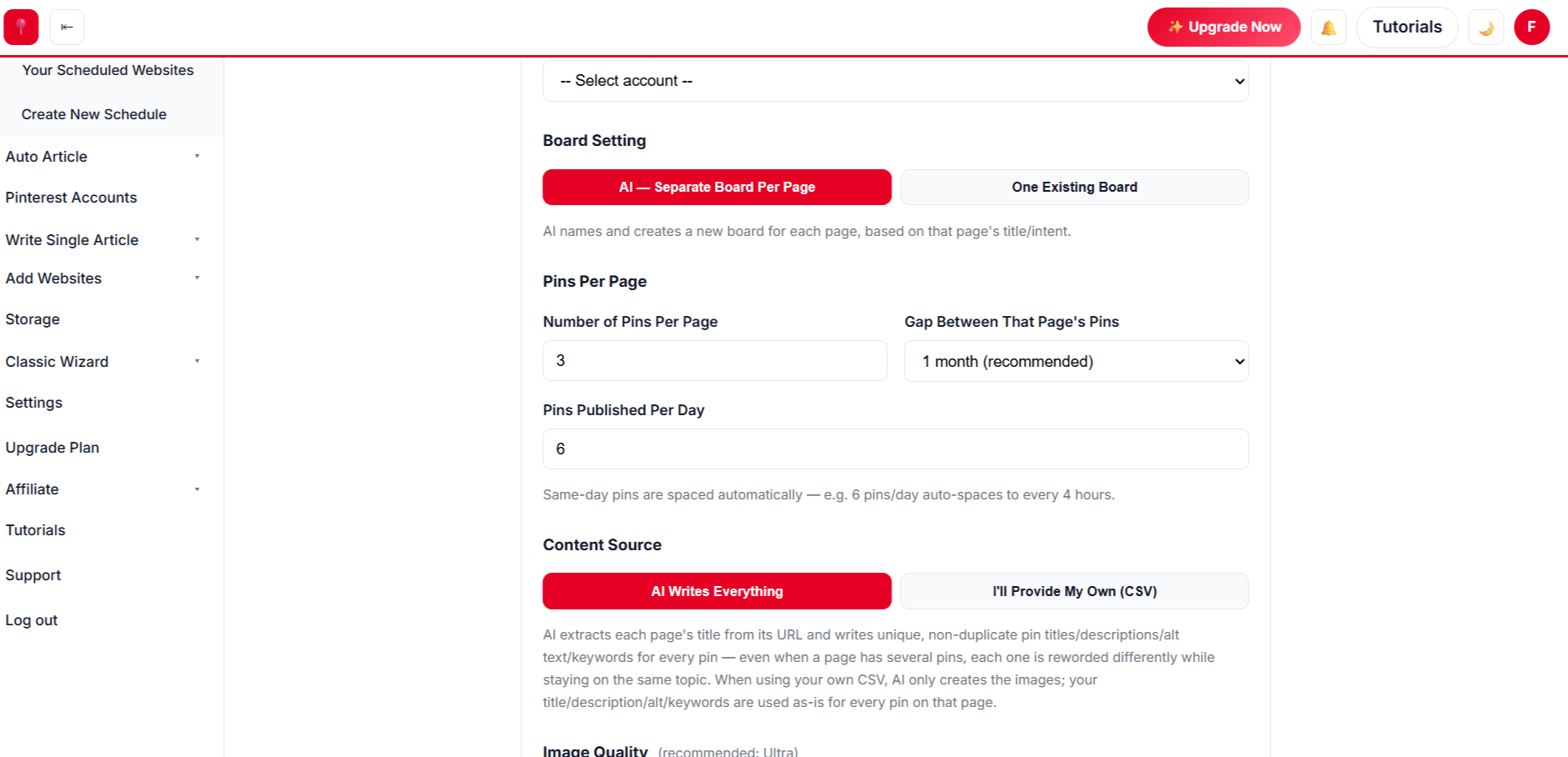
  • ✓ Pins per page and the gap before a page is pinned again.
  • ✓ Choose boards yourself or let AI place every pin.
🚀
Step 4 · Approve

One Click. Fully Automated.

  • ✓ Review, edit or remove any pin, then approve.
  • ✓ Pins publish on autopilot all year. Anything unapproved waits in Drafts.
One-click AI pin design and scheduling
// NEW · AUTO BLOG + AUTO PIN

Create Hundreds of Blog Posts With Images, Publish Them and Schedule Pins — in 1 Click

Give AI a list of titles for your niche. It writes every article with images, publishes to your website at the pace you choose, and schedules Pinterest pins for each post — all in the background.

  1. 1
    📋

    Paste your titles

    One title per line — or paste competitor links and let AI turn them into your own original titles.

  2. 2
    🤖

    AI writes with images

    Full articles with a featured image and in-post images, categories, authors and optional tags.

  3. 3
    🌐

    Published for you

    Posts go live on your WordPress, Shopify, Wix or custom site — as many per day as you set.

  4. 4
    📌

    Pins scheduled

    Several pins per article, spaced weeks apart, on boards AI matches or creates for each topic.

100sarticles per batch
1–20posts published per day
Up to 20pins per article
1setup — then autopilot
Sign Up Free & Start Auto Blogging → Auto Blog is available on plans that include it — see pricing below.
// EVERYTHING IN ONE PINTEREST MARKETING TOOL

Every Tool You Need to Grow on Pinterest

From the first pin to a full year of scheduled content — design, copywriting, boards, scheduling and analytics in one place.

⚡

Hundreds of Pins in 1 Click

Scan your site, select hundreds of pages and AI designs, writes and schedules every pin — with a live preview of unlimited templates, palettes and fonts.

🤖

AI Pin Copy

Titles, descriptions, alt text and keywords written for every pin.

🗂️

Smart Boards

AI chooses the best board for each pin, or creates a new one.

✍️

AI Auto Blog + Auto Pin

Paste a list of titles: AI writes every article with images, publishes to WordPress, Shopify, Wix or your site at your daily pace, and schedules pins for each post.

📦

Bulk Pin Scheduler

Paste a list of titles or links and queue them all at once.

♾️

Unlimited Pin Designs

Unlimited templates, palettes and fonts plus a free Canva-style editor — every premium feature, no Canva Pro.

📊

Pinterest Analytics

See which pins drive clicks and saves, compare by board, keyword or time, and clean out underperformers.

👥

Team Management

Invite teammates without sharing your login.

// PIN DESIGNS THAT GET SAVED

Unlimited Pinterest Templates Modelled on Pins People Save

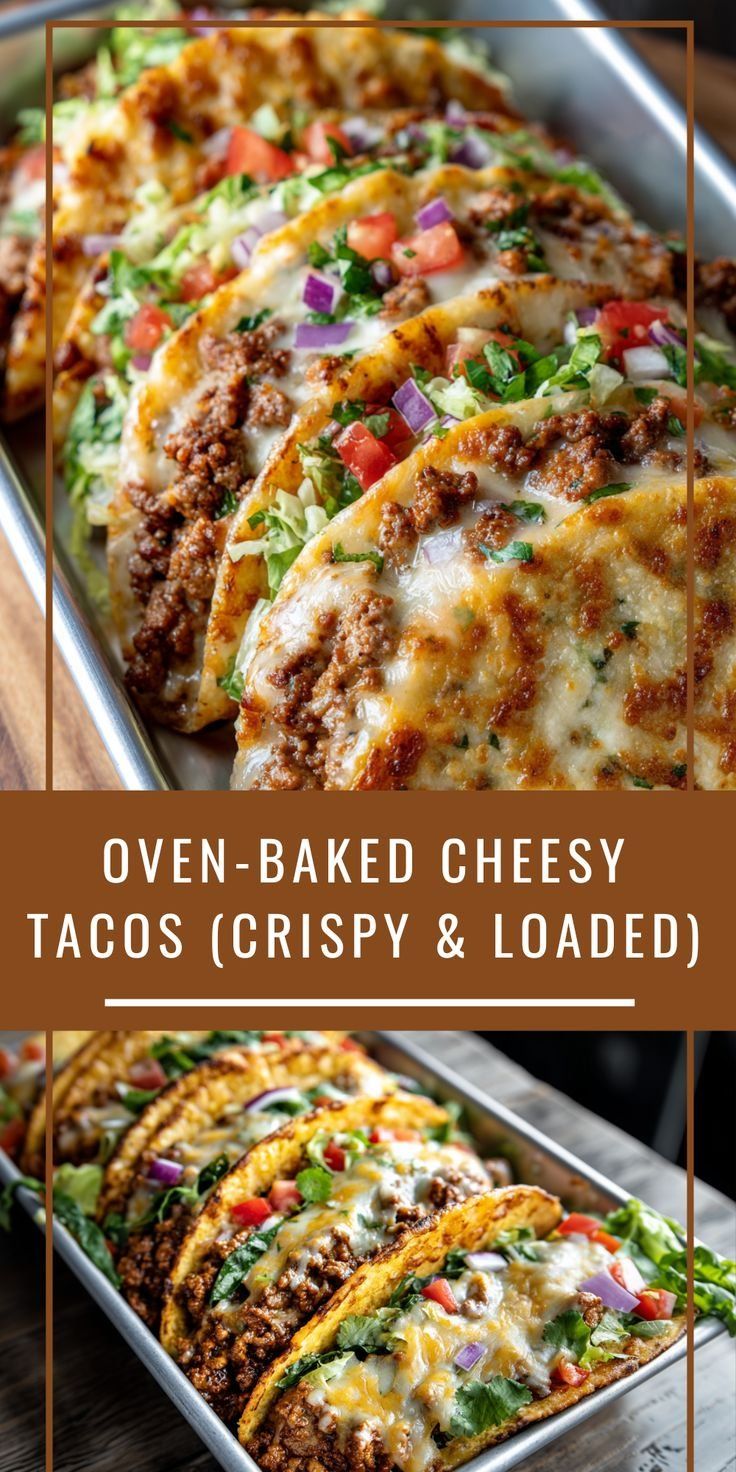
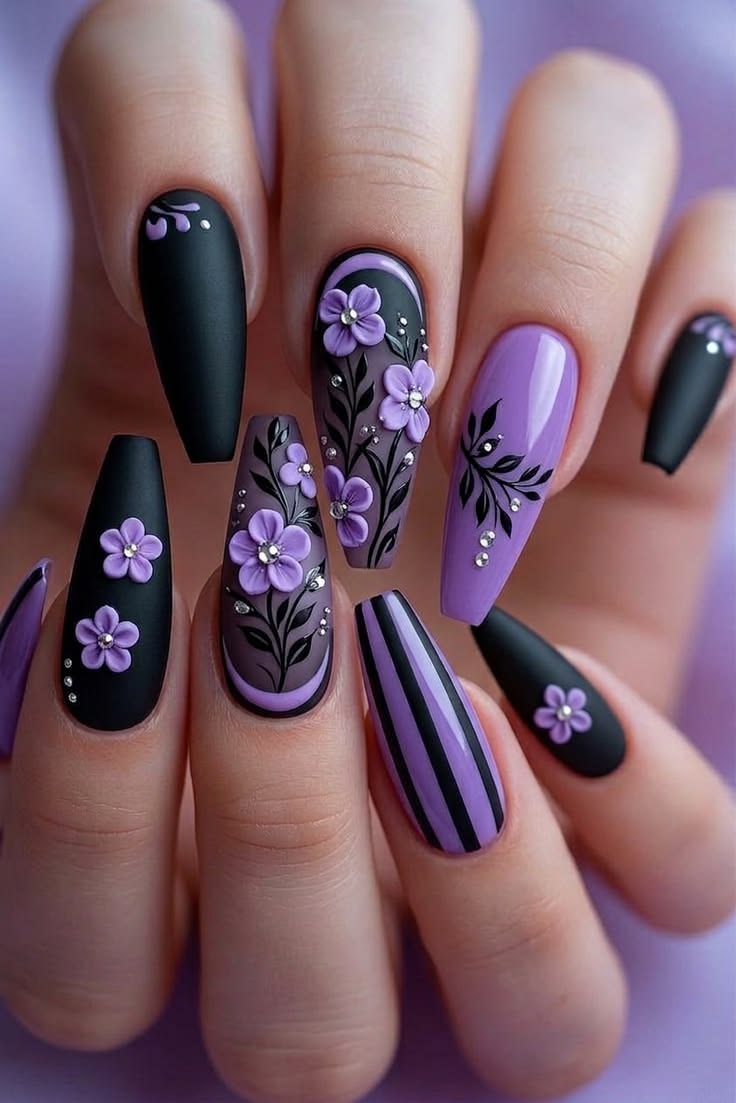
Recipe bands, outfit collages, hairstyle numbers, home decor frames — every style applied to your own photos automatically.

Try the Templates Free →
// FREE CANVA ALTERNATIVE

The Free Canva Alternative Built for Pinterest Pins

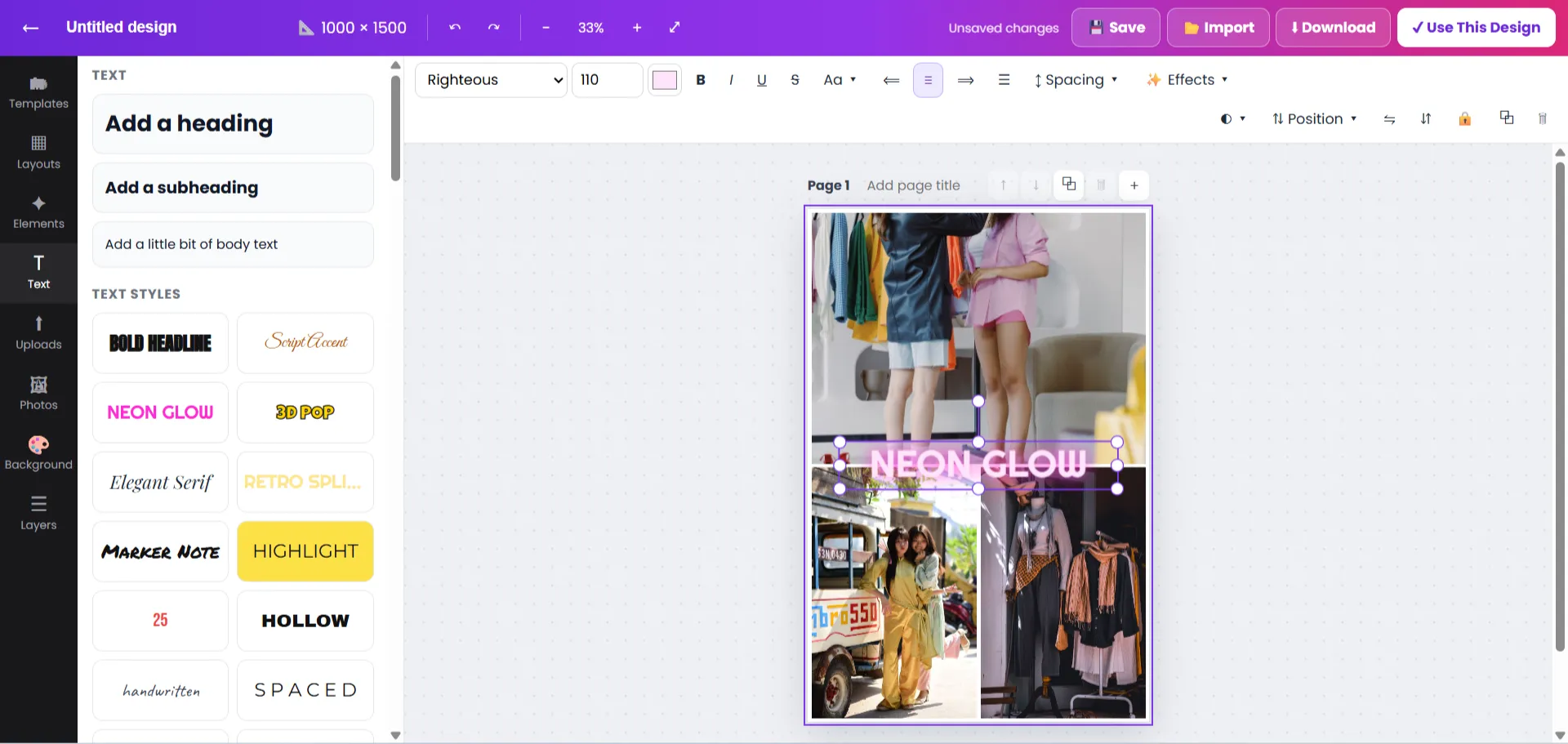
Everything you pay Canva Pro for is free inside AutomatedPin: a drag-and-drop design editor with thousands of premium pin designs, unlimited templates and fonts — and your finished pins go straight into the scheduler.

  • ♾️ Unlimited templates & fonts — no Canva Pro subscription
  • 💎 Thousands of premium pin designs, free to use and edit
  • ✨ Text effects, photo frames, shapes, 3D elements & emoji
  • 📐 One-click resize for pins, stories, posts and banners
  • ⬇️ Download PNG, JPG, PDF or SVG — transparent backgrounds included
  • 🔗 Share designs with a link, or schedule them to Pinterest in one click
AutomatedPin free design editor — a Canva alternative for creating Pinterest pins with templates, fonts and elements
The AutomatedPin design editor — every premium tool, free.
FeatureCanva FreeCanva ProAutomatedPin
Premium templatesLimitedIncluded (paid)✓ Unlimited — free
FontsLimitedIncluded (paid)✓ Unlimited — free
Transparent PNG download✕Included (paid)✓ Free
Resize a design for other sizes✕Included (paid)✓ Free
AI pin titles, descriptions & alt text✕✕✓ Built in
Schedule pins to Pinterest automatically✕Limited✓ Built in, a year at a time
Template & colour performance stats✕✕✓ Built in
PriceFreePaid subscription✓ Free to start

Canva is a trademark of Canva Pty Ltd. Comparison based on Canva's publicly listed free and Pro plan features.

// MANUAL VS AUTOMATED

Manual Pinning vs AutomatedPin

TaskDoing it by handWith AutomatedPin
Designing pins✕ Canva, one pin at a time✓ Unlimited free templates applied automatically
Titles & descriptions✕ Written one by one✓ AI writes keyword-rich copy
Choosing boards✕ Picked manually every time✓ AI picks or creates the board
Posting✕ Log in and post daily✓ A year scheduled in one run
Blog content✕ Write every post yourself✓ AI Auto Blog writes, publishes & pins
New accounts✕ Guess a safe pace✓ Built-in warm-up plan
Knowing what works✕ Guesswork✓ Pin analytics built in
// ADVANCED PINTEREST ANALYTICS

Advanced Pinterest Analytics That Show What Works

Stop guessing. See exactly which pins, boards, keywords, templates and colours drive traffic — then do more of it.

Up to 5x more traffic
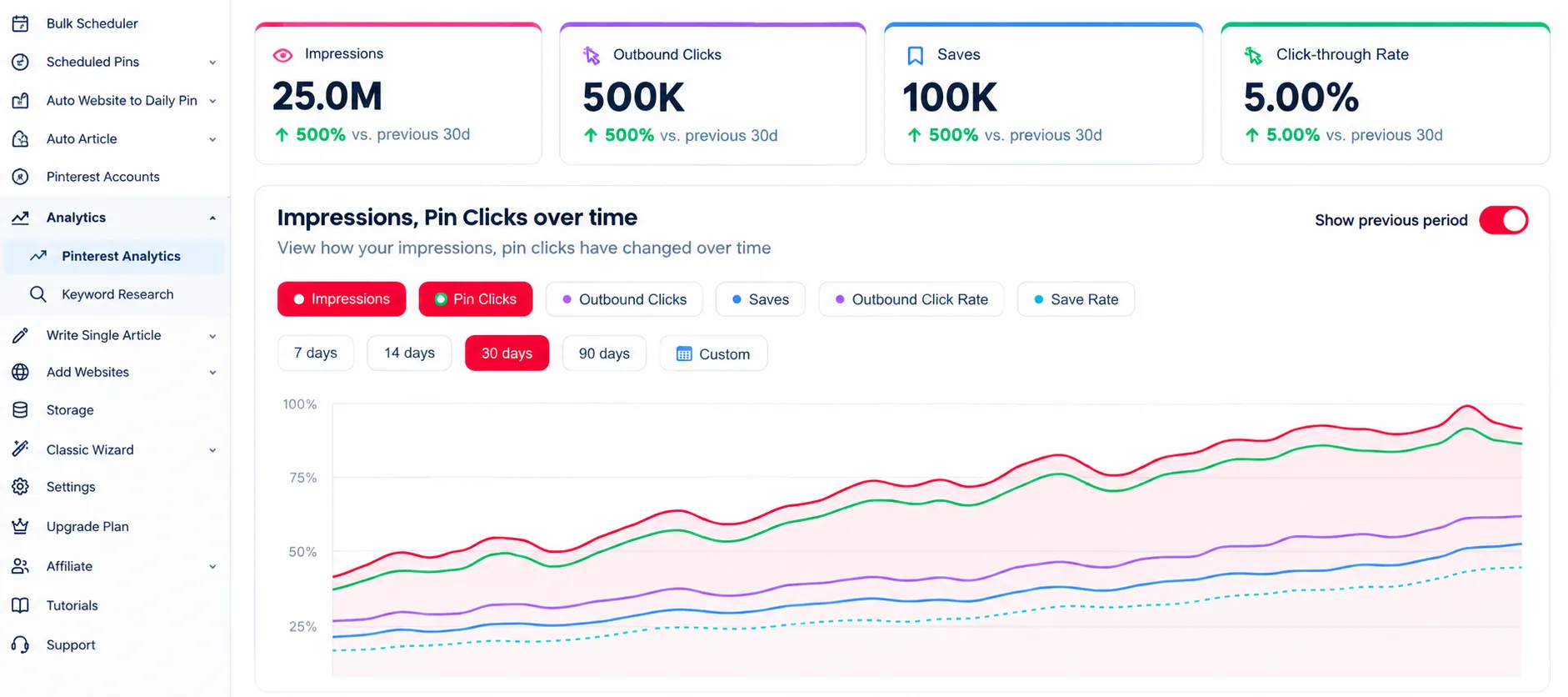
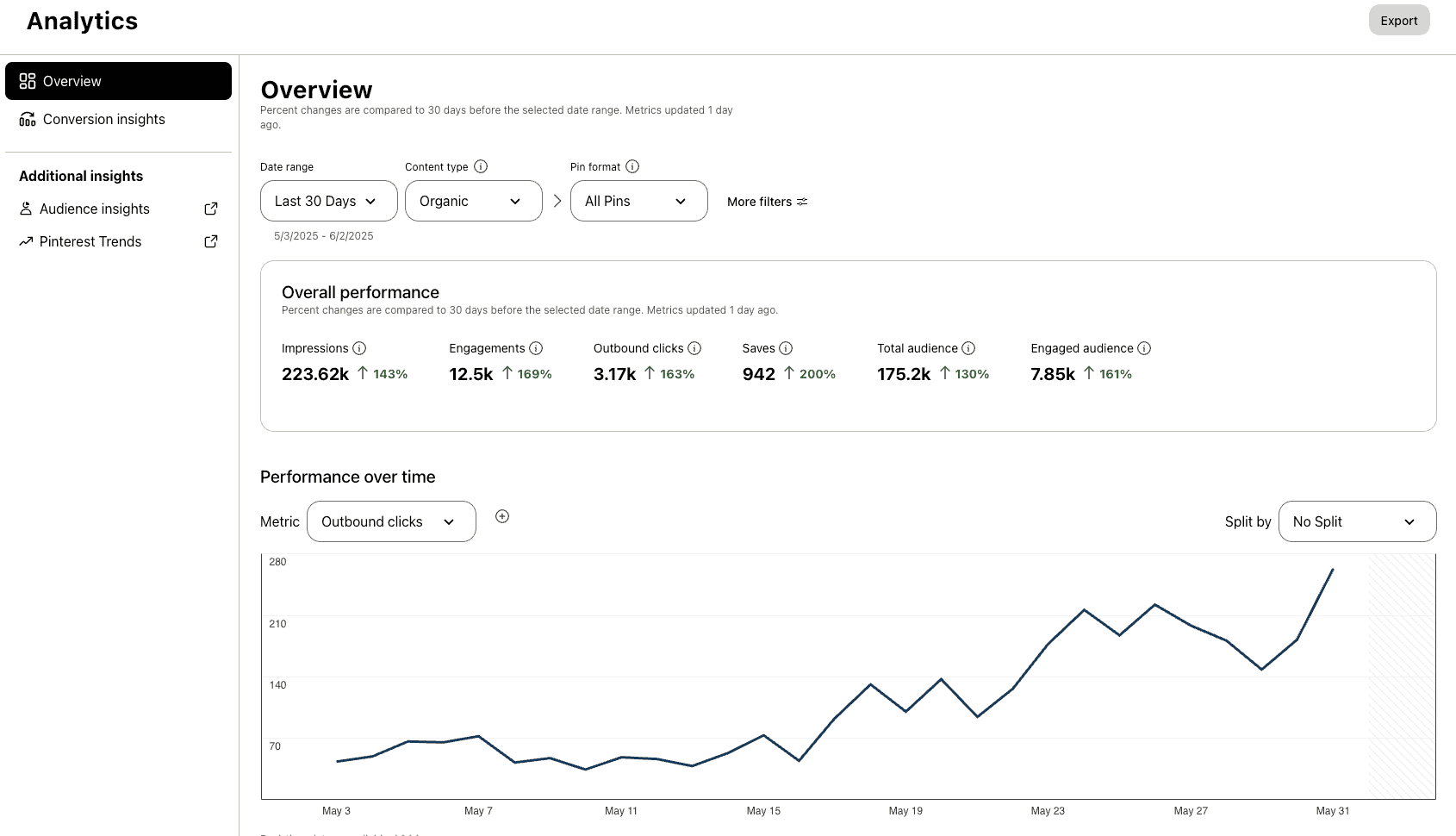
Pinterest analytics dashboard showing traffic growth

Analytics

Understand where your traffic comes from and make data-driven decisions.

47% higher engagement
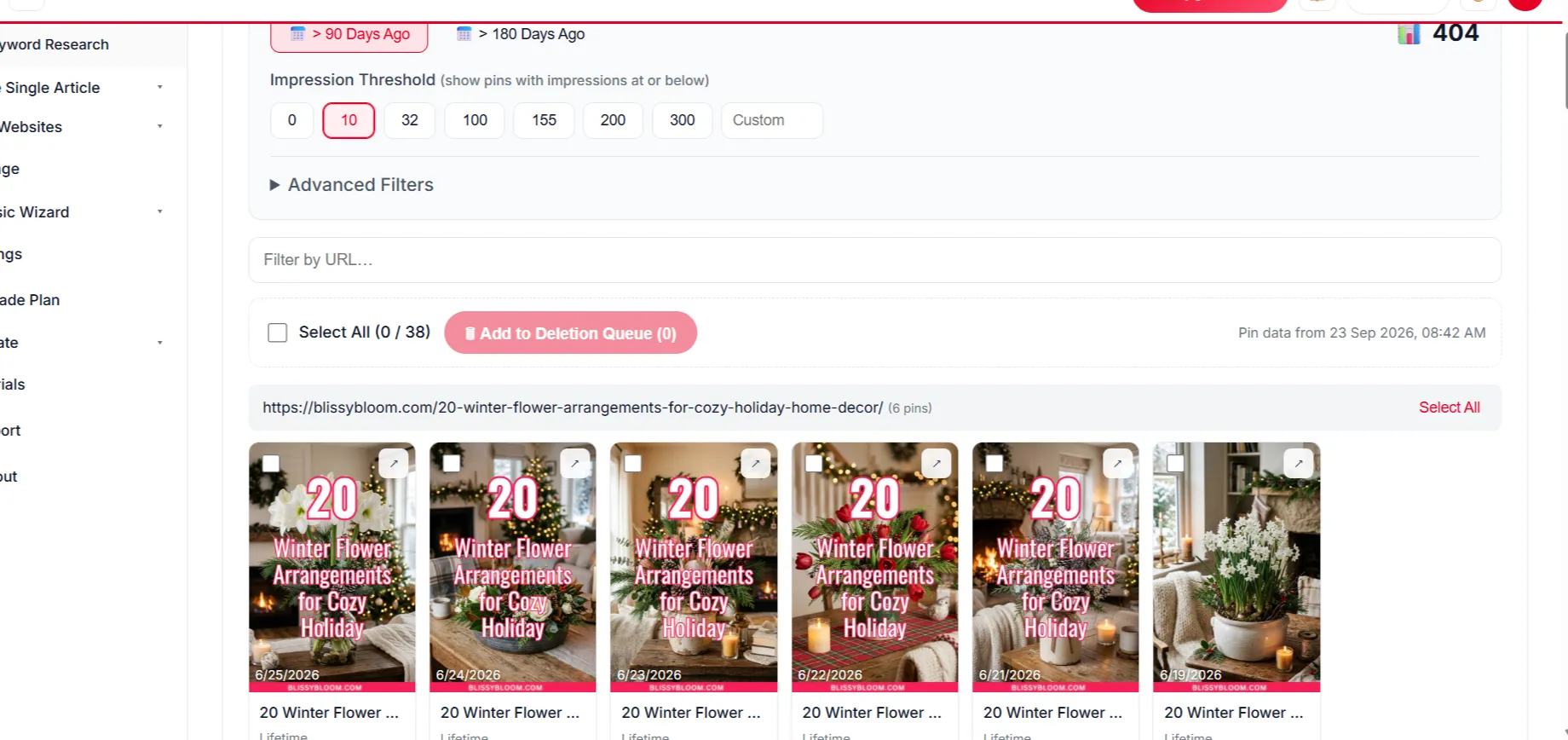
Deleting underperforming pins

Delete Underperforming Pins

Remove weak pins to raise your engagement rate.

Top pin performance report

Top Pin Performance

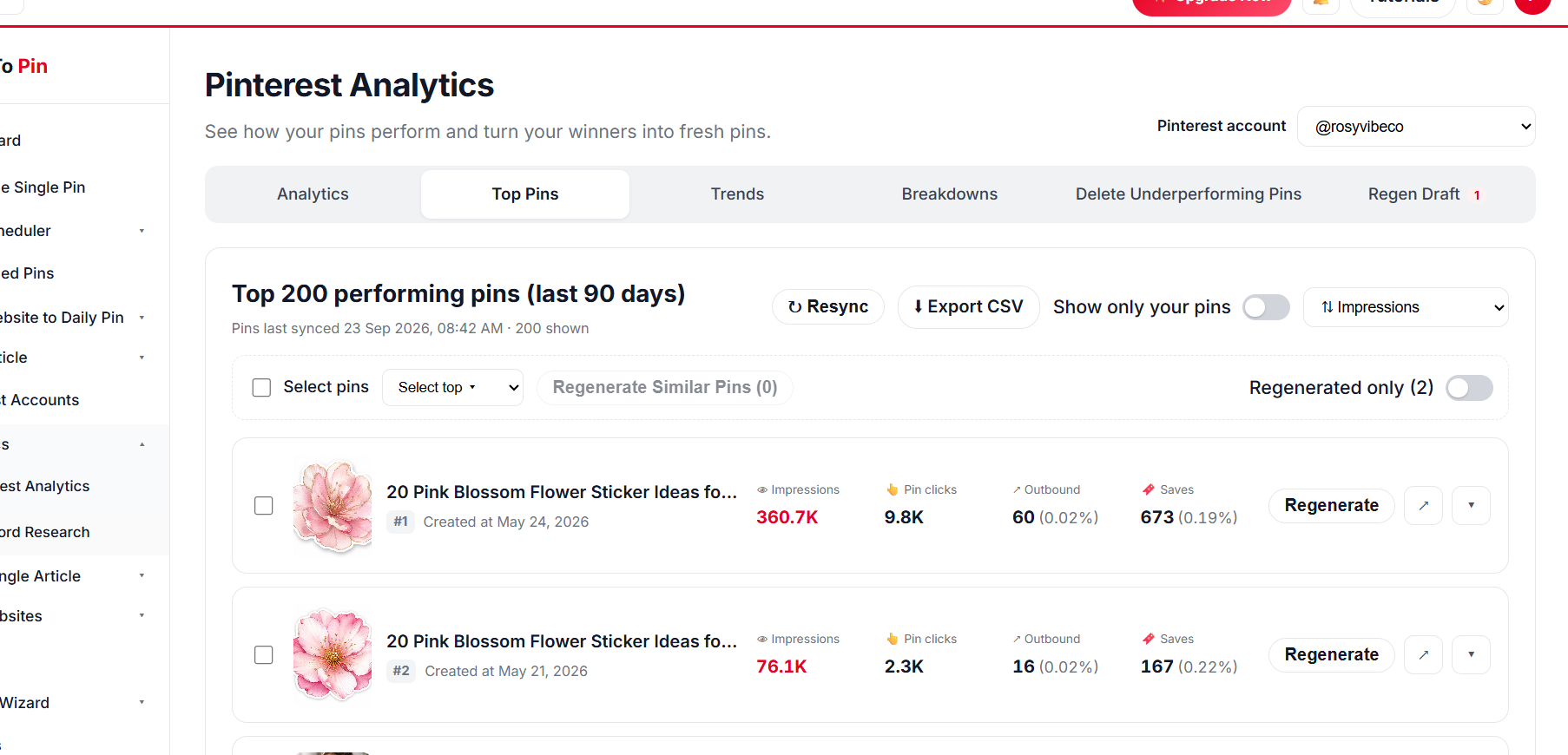
See which pins drive the most clicks, saves and traffic.

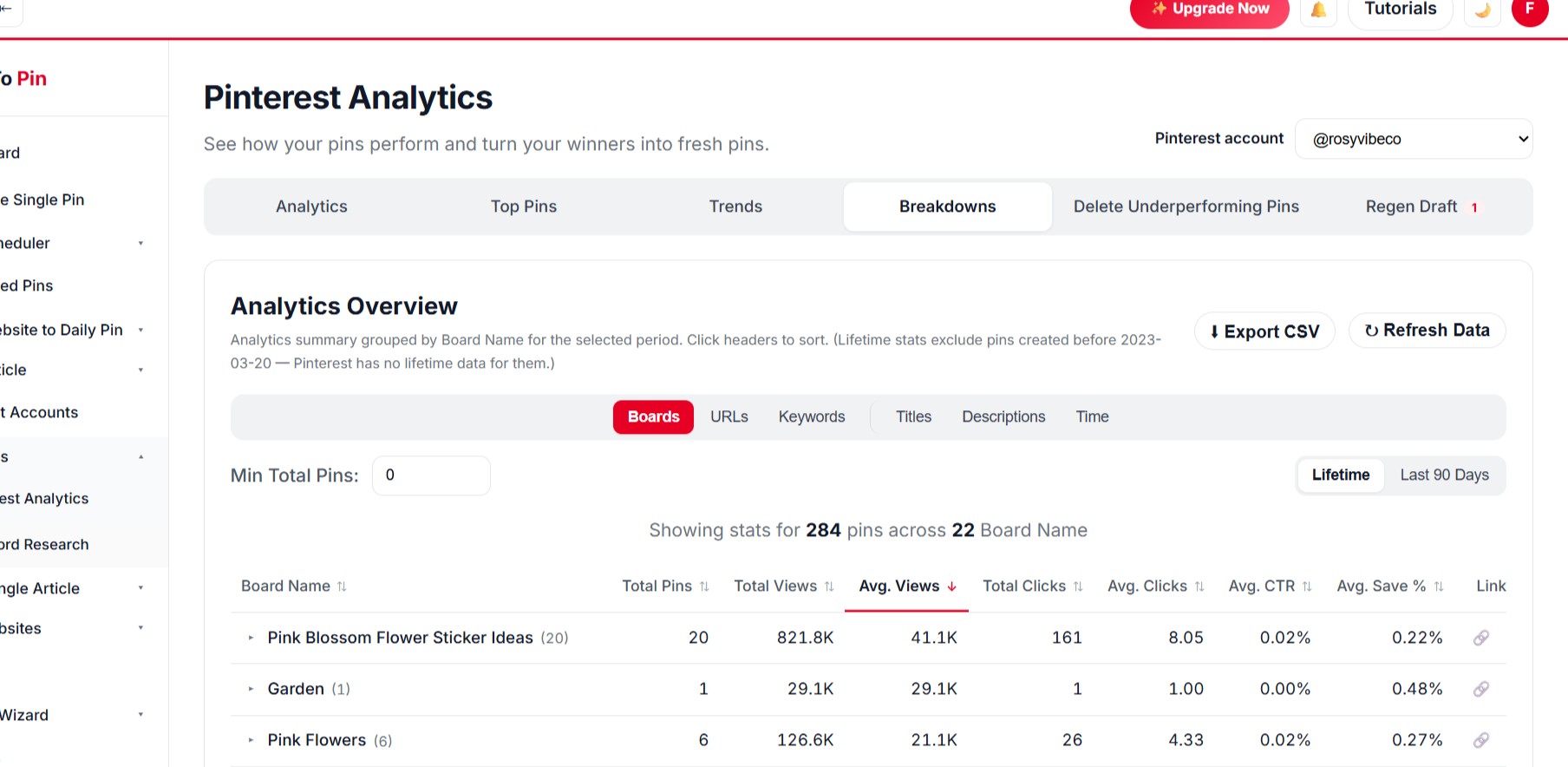
Analytics breakdown by board, URL, keyword, title, description and time

Break It Down Any Way You Want

Filter and compare performance across every angle that matters.

BoardsURLsKeywordsTitlesDescriptionsTime
// TEMPLATE & COLOUR PERFORMANCE STATS

Know Which Templates and Colours Win

Template Tracking links every published pin to the template that made it, then ranks templates — and the main colours inside them — by real Pinterest results.

📊 Template performanceExample report
TemplateViewsCTRSave rate
Recipe Band48.2K2.9%
Outfit Collage39.5K2.4%
Big Number31.1K2.1%
Script Overlay22.8K1.6%
🎨 Colour performanceExample report
  • Red3.1% CTR
  • Beige2.7% CTR
  • Green2.2% CTR
  • Navy1.9% CTR
  • Pink1.7% CTR
🏆

Top templates

Views, clicks, CTR and save rate for every template you use.

🎨

Winning colours

Main pin colours ranked by saves and clicks — per template or across all pins.

📈

Trends & top pins

Daily trends, your best pins and which boards, URLs and keywords bring traffic.

🧹

Clean-up

Find and delete underperforming pins to lift your account’s engagement.

Numbers above are an illustrative example — your reports use your own Pinterest data.

// PRICING

Simple, Transparent Pricing

Start free, upgrade any time. Every plan includes AI credits for pin design, copywriting and scheduling.

Monthly Annual Save up to 30% with annual

Free

Perfect for trying things out

$0.00/month
Start Free
  • ✓ 5 Image AI credits/month
  • ✓ 10,000 Text AI credits/month
  • ✓ Unlimited Pinterest accounts
  • ✓ Unlimited websites
  • ✓ Unlimited pin uploads
  • ✓ 100 pins/month (15/day)
  • ✓ 2 team members
  • ✓ Analytics
  • ✓ Delete 2 underperforming pins/day
  • ✓ 100MB cloud storage
  • ✓ Email support
  • ✕ Bulk scheduling
  • ✕ Auto website-to-daily-pin
  • ✕ Auto article
  • ✓ Single article writer

Starter

Perfect plan for starting out

5% OFF
$19.00/month
Was $20.00/month
Choose Plan
  • ✓ 300 Image AI credits/month
  • ✓ 1,000,000 Text AI credits/month
  • ✓ Unlimited Pinterest accounts
  • ✓ Unlimited websites
  • ✓ Unlimited pin uploads
  • ✓ 2,100 pins/month (70/day)
  • ✓ 2 team members
  • ✓ Analytics
  • ✓ Delete 5 underperforming pins/day
  • ✓ 1GB cloud storage
  • ✓ Email support
  • ✓ Bulk scheduling
  • ✓ Auto website-to-daily-pin
  • ✓ Auto article
  • ✓ Single article writer
Recommended

Growth

Works well for multiple sites

10% OFF
$67.50/month
Was $75.00/month
Choose Plan
  • ✓ 1,200 Image AI credits/month
  • ✓ 4,000,000 Text AI credits/month
  • ✓ 8,500 pins/month (300/day)
  • ✓ All from Pro
  • ✓ 8 team members
  • ✓ Analytics
  • ✓ Delete 15 underperforming pins/day
  • ✓ 5GB cloud storage
  • ✓ Priority support
  • ✓ Bulk scheduling
  • ✓ Auto website-to-daily-pin
  • ✓ Auto article
  • ✓ Single article writer
Best Value

Agency

For large businesses and agencies

15% OFF
$127.50/month
Was $150.00/month
Choose Plan
  • ✓ 2,500 Image AI credits/month
  • ✓ 10,000,000 Text AI credits/month
  • ✓ 20,000 pins/month (650/day)
  • ✓ All from Growth
  • ✓ 15 team members
  • ✓ Analytics
  • ✓ Delete 20 underperforming pins/day
  • ✓ 10GB cloud storage
  • ✓ Urgent support
  • ✓ Bulk scheduling
  • ✓ Auto website-to-daily-pin
  • ✓ Auto article
  • ✓ Single article writer

Loved by Pinterest Marketers

Sarah Mitchell
Sarah Mitchell
Lifestyle Blogger
★★★★★
Bulk Pin Scheduler alone saves me hours every week. I paste in a batch of blog links and it writes the titles, descriptions, and even picks the right board — I just review and hit schedule.
Daniel Reyes
Daniel Reyes
Owner, Trail & Table
★★★★★
Connected my Pinterest account in under a minute and had pins scheduled for the whole month by lunchtime. Way less fiddly than anything else I've tried.
Priya Kapoor
Priya Kapoor
Founder, The Home Edit Co.
★★★★★
The AI pin designs actually look good out of the box. I barely touch the brand color setting and every pin already matches my site.
Marcus Webb
Marcus Webb
E-commerce Manager
★★★★☆
Took a little while to get Auto Blog set up the way we wanted for our product pages, but once it clicked it's been running untouched for two months straight.
Emily Carter
Emily Carter
Content Creator
★★★★★
Being able to hand my assistant a login through Team Management, without giving away my own account, was exactly what I needed.
Ahmed Khan
Ahmed Khan
Affiliate Marketer
★★★★★
Every new post I publish gets turned into pins automatically now. It's the closest thing to "set it and forget it" I've found for Pinterest.
Sarah Mitchell
Sarah Mitchell
Lifestyle Blogger
★★★★★
Bulk Pin Scheduler alone saves me hours every week. I paste in a batch of blog links and it writes the titles, descriptions, and even picks the right board — I just review and hit schedule.
Daniel Reyes
Daniel Reyes
Owner, Trail & Table
★★★★★
Connected my Pinterest account in under a minute and had pins scheduled for the whole month by lunchtime. Way less fiddly than anything else I've tried.
Priya Kapoor
Priya Kapoor
Founder, The Home Edit Co.
★★★★★
The AI pin designs actually look good out of the box. I barely touch the brand color setting and every pin already matches my site.
Marcus Webb
Marcus Webb
E-commerce Manager
★★★★☆
Took a little while to get Auto Blog set up the way we wanted for our product pages, but once it clicked it's been running untouched for two months straight.
Emily Carter
Emily Carter
Content Creator
★★★★★
Being able to hand my assistant a login through Team Management, without giving away my own account, was exactly what I needed.
Ahmed Khan
Ahmed Khan
Affiliate Marketer
★★★★★
Every new post I publish gets turned into pins automatically now. It's the closest thing to "set it and forget it" I've found for Pinterest.

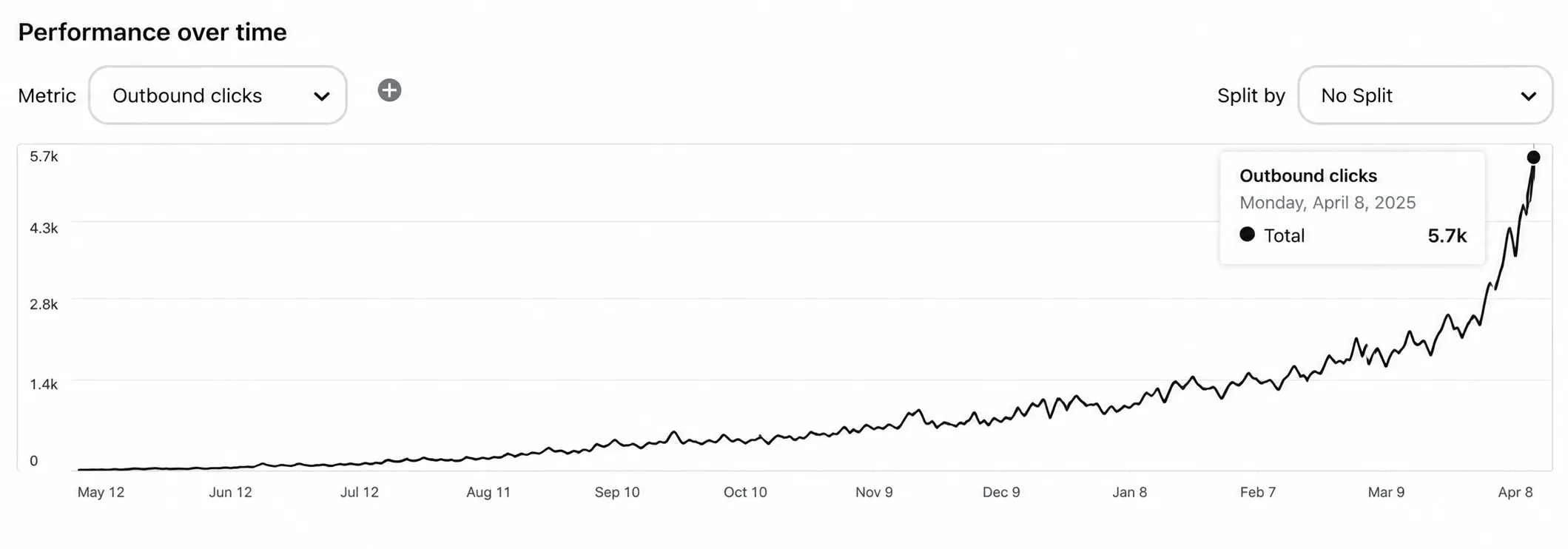
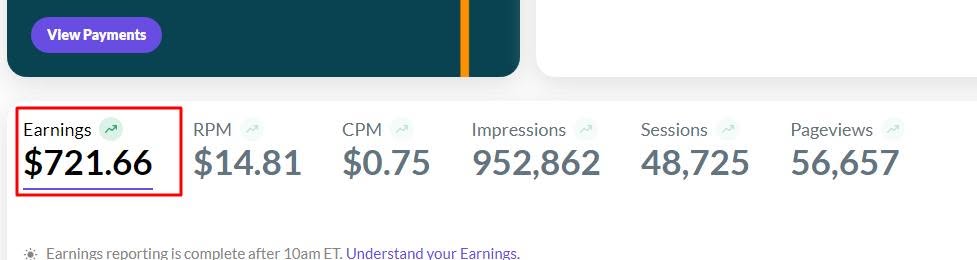
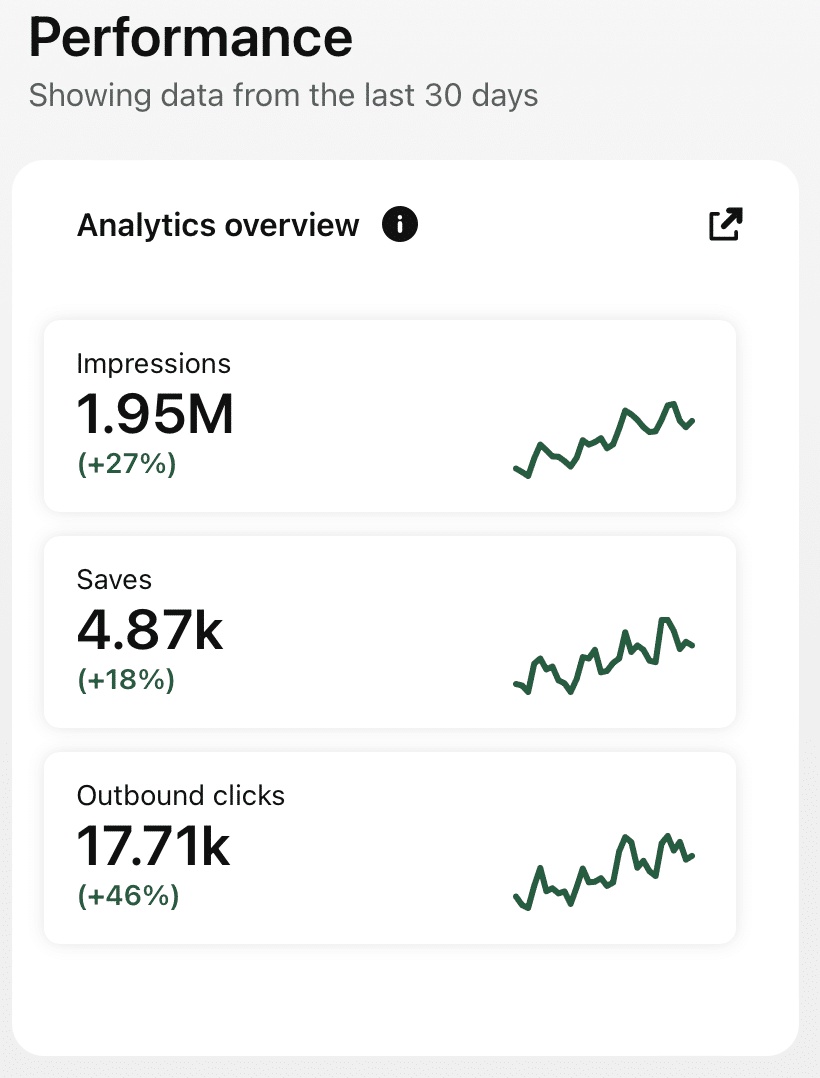
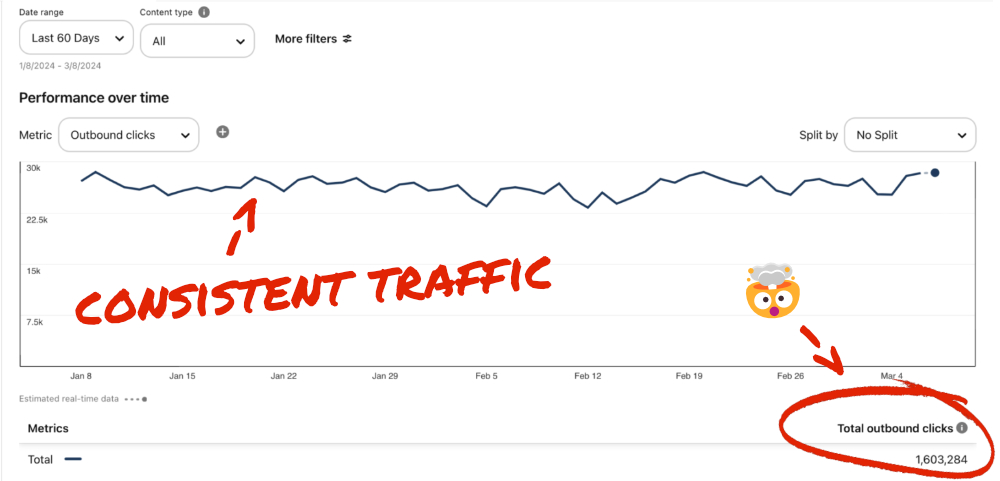
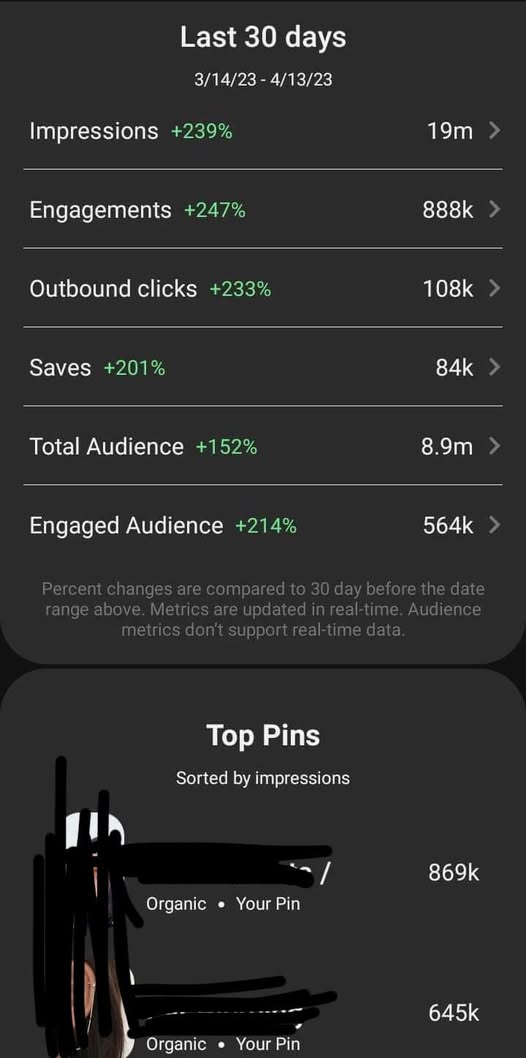
Check Real Results

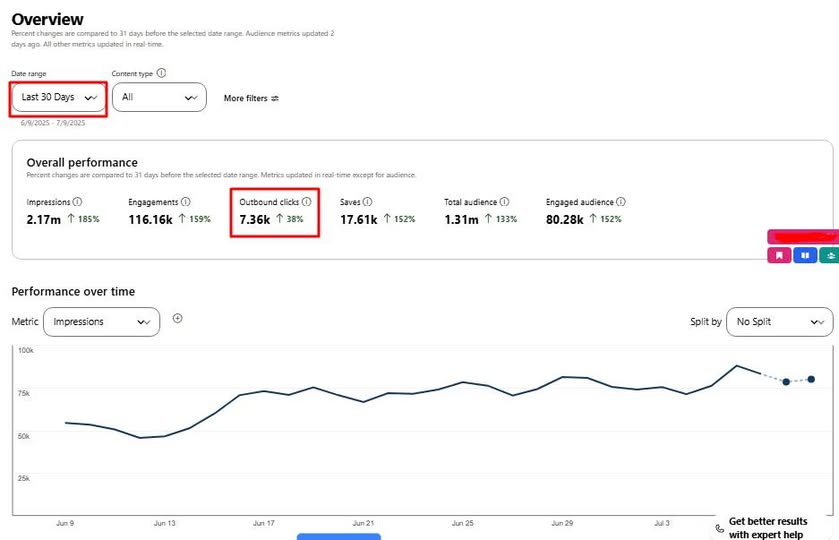
Real Pinterest results screenshot from a AutomatedPin user
// USE CASES

Pinterest Automation for Every Kind of Website

69 use cases — stores, blogs, marketplaces, creators and agencies.

// FREE TOOLS

Free Pinterest Tools — No Sign-Up Needed

Try these free tools first, then put everything on autopilot.

// WHO IT'S FOR

Made for people who monetize traffic

Whether the money comes from products, affiliate links or ads — AutomatedPin keeps the Pinterest side running itself.

Bloggers & affiliates

Every post becomes several fresh pins pointing at your content — compounding traffic from a platform where pins keep working for months.

E-commerce stores

Every product becomes ongoing Pinterest creative that sends buyers straight to your product pages.

Agencies

Manage Pinterest for every client site from one dashboard, with Team Management instead of shared logins.

Make Pinterest the easy part.

Create pins, schedule a year in a click, and bring visitors to your site.

Try AutomatedPin Free →

Pinterest Automation — Frequently Asked Questions

What is AutomatedPin?

AutomatedPin is a Pinterest automation platform. Connect your Pinterest account once and schedule pins — with AI-written titles, descriptions and pin designs — to publish automatically, on your own timeline.

How does Pinterest pin scheduling work?

Scan your website, choose your pages, pick a design and a publishing pace, and approve. Our scheduler runs in the background and publishes each pin exactly when it is due.

Is it safe to connect my Pinterest account?

Yes — you connect through Pinterest’s official login (OAuth). We never see or store your Pinterest password, and you can disconnect at any time.

Do I need my own Pinterest developer API access?

No. Just click “Connect Pinterest” and authorize your own account.

How many pin templates are there?

Unlimited. You get 500+ AI pin templates and styles, unlimited colour palettes and fonts, and a free Canva-style design editor with thousands of premium designs — no Canva Pro subscription needed.

Is AutomatedPin a free Canva alternative for Pinterest?

Yes. The built-in design editor has the drag-and-drop tools you know from Canva — templates, fonts, text effects, frames, shapes, photos, resize and PNG/JPG/PDF/SVG download — and every premium feature is free. Finished designs go straight into your pin scheduler.

Can I see which templates and colours perform best?

Yes. Template Tracking shows views, clicks, CTR and save rate for every template you use, and colour stats show which main pin colours get the most saves and clicks — so your next pins use what already works.

Can I schedule pins to hundreds of pages at once?

Yes — add your website, let it scan your sitemap, select hundreds of pages and schedule several pins for each in a single run.

Does it write pin titles and descriptions automatically?

Yes. AI writes a unique title, description, alt text and keywords for every pin from the page content. You can edit anything before approving.

How does AI choose or create a board?

AI matches each page to the closest board on your account, or creates a new, well-named board if none fits.

Is it safe for a new Pinterest account?

Yes. The new-account warm-up grows your pace from 1 pin a day in month one to 20 a day by month five, and the time between pins is set automatically.

Can AI create pins for hundreds of pages in 1 click?

Yes. Scan your site, select hundreds of pages and approve once — AI designs the pin images from your own photos, writes the copy, picks the boards and schedules everything.

Can AI write and publish blog posts for me?

Yes, on plans that include Auto Blog. Paste a list of titles (or competitor links that AI rewrites into your own titles); AI writes each article with images, publishes to your WordPress, Shopify, Wix or custom site at your daily pace, and schedules pins for every post.

Are pin templates really unlimited?

Yes. 500+ pin templates and styles, unlimited colour palettes and fonts, plus a free design editor for your own layouts — AI mixes them per page, so every pin can look different.

What is Bulk Pin Scheduler?

Bulk Pin Scheduler lets you paste a list of titles or links, generate pins for each, and queue them all in one pass.

What is Auto Blog and Auto Pin?

On plans that include it, AI writes and publishes articles to your website and pins them to Pinterest on a daily schedule — no manual input after setup.

Can I use my own images?

Yes. Pins use the photos from your own pages, and you can upload a different image for any pin before it is scheduled.

Does it work with WordPress, Shopify, WooCommerce and Etsy?

Yes — any site with public pages works. Sitemaps from WordPress, Shopify and WooCommerce are read automatically, and single pages can be pasted in too.

Is there a free plan or free tools?

Yes. Create a free account to get started, and use the free Pin Maker and Create Pin tools with no sign-up at all.

Do free pins have a watermark?

Pins from the no-login Create Pin tool carry a small watermark. A free account removes it and gives you the original file.

Can I invite team members?

Yes. Team Management lets you invite people by email to share your account’s resources without sharing your login.

Can I cancel anytime?

Yes, upgrade, downgrade or cancel from your billing settings at any time — no long-term contract.

What happens if a pin fails to publish?

Failed pins are logged with the reason and retried; you can see queued, upcoming and failed pins in your scheduler.


Ready to turn your pages into Pinterest traffic?

Free to start. Pay only when you want more pins live on Pinterest.