πŸ›οΈ Built for Shopify Sellers

Pinterest Automation for Shopify Stores
Turn Products Into Traffic

Put your Shopify store on Pinterest autopilot. Every product page becomes a scheduled, on-brand pin β€” no design work, no manual posting, just shoppers finding your products every day.

  • πŸ›’ Auto-Pin Every Shopify Product β€” New Arrivals Included
  • πŸ€– AI Writes Keyword-Rich Titles, Descriptions & Alt Text for Every Pin
  • πŸ•” Schedule Pins for Your Whole Catalog in One Click
  • 🎨 Pin Designs Matched to Your Store Colours and Fonts
  • πŸ’― AI Picks (or Creates) the Right Board for Every Product
⚑ Hundreds of pages β†’ pins in 1 click ✍️ AI Auto Blog + auto pins ♾️ Unlimited AI pin designs

Free to start Β· No credit card needed Β· Official Pinterest API

⚑

AI Auto-Creates Pin Images for Hundreds of Products β€” in 1 Click

Select hundreds of products at once. AI designs every pin from your own photos, writes the title, description, alt text and keywords, picks the board and schedules it all.

Create a free account β†’
✍️

AI Auto Blog: Create, Publish & Pin

Paste a list of titles. AI writes each article with images, publishes it to your site on a daily schedule, and schedules pins for every post automatically.

Sign up free to auto blog β†’
♾️

Unlimited AI Pin Designs

Unlimited templates, colour palettes and fonts, plus a free Canva-style design editor with every premium feature β€” AI picks the best look for every page, so no two pins look the same.

Get started free β†’
πŸ“ˆ Build real growth⏱️ Save hours every weekπŸ” Runs on autopilotβœ… Official Pinterest API

Paste a Shopify Product Link, Get Pins in Seconds

Try it on any product page from your store β€” we pull the product photos, write the pin copy and design the pins for you.

3 free generations Β· Unlimited templates Β· No sign-up needed
Shopify product pinsCollection pinsNew arrival pinsHoliday gift guidesBest sellersBundles & setsRestock alertsSeasonal dropsBrand story pinsSale announcementsShopify product pinsCollection pinsNew arrival pinsHoliday gift guidesBest sellersBundles & setsRestock alertsSeasonal dropsBrand story pinsSale announcements
// SEE THE RESULTS

See the Results: Pins That Keep Selling

A Pinterest pin keeps getting saved and clicked for months β€” so every product you pin keeps sending shoppers to your Shopify store long after you schedule it.

0x more traffic, up to
0% higher engagement after pruning weak pins
0+ premium pin templates to match your brand
0-click scheduling for your whole catalog
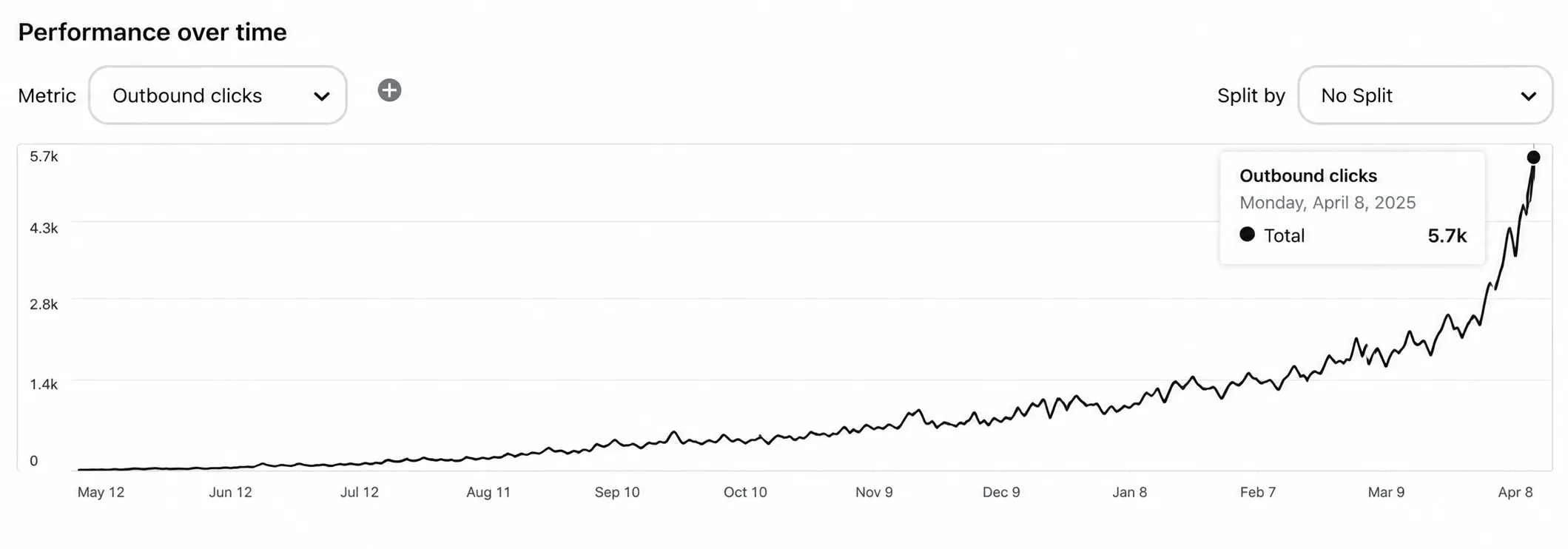
Pinterest traffic growth for a Shopify store over 12 months

Illustrative growth curve β€” actual results vary by niche, content volume and consistency.

Start Free β†’
Simple 4-Step Process

From Shopify Store to Scheduled Pins in Minutes

No design skills, no Pinterest expertise. Scan your store, choose a look, set your pace β€” AI designs every pin, writes the copy, picks the board and publishes it all automatically.

πŸ›οΈ
Step 1 Β· Setup

Scan Your Shopify Store

  • βœ“ Paste your store link β€” we read your Shopify sitemap and list every product and collection page.
  • βœ“ Search and select the products you want, or select them all in one click.
🎨
Step 2 Β· Design

Match Pins to Your Brand

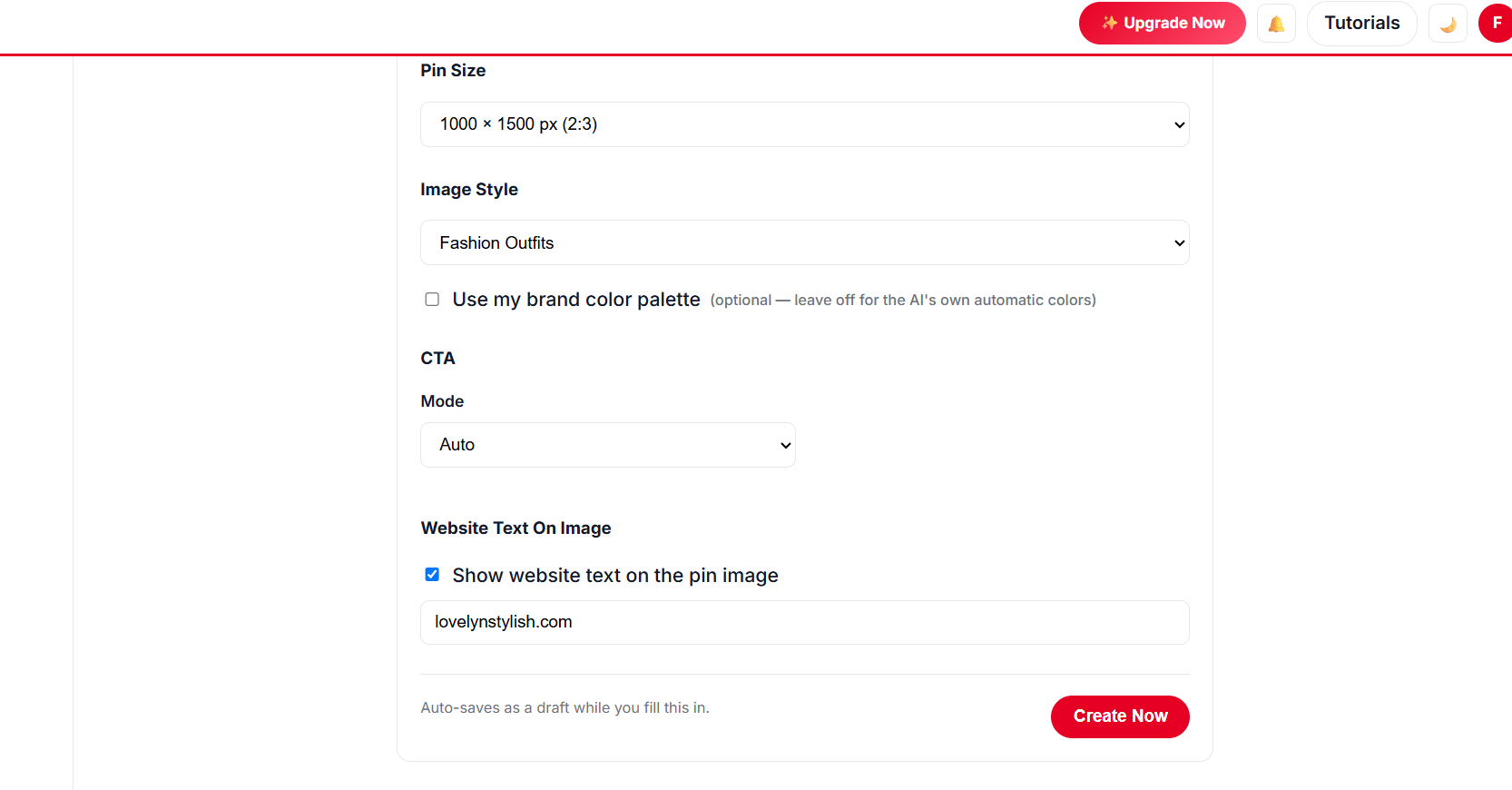
  • βœ“ Unlimited templates, colour palettes and fonts β€” with a live preview on your own product photos.
  • βœ“ Design your own in the free Canva-style editor, or let AI pick the best template for each product.
  • βœ“ Single photo, collage, or a mix of both β€” tiny and banner images are skipped automatically.
Choosing pin templates, colour palettes and fonts for Shopify product pins
βš™οΈ
Step 3 Β· Schedule

Set a Safe Publishing Pace

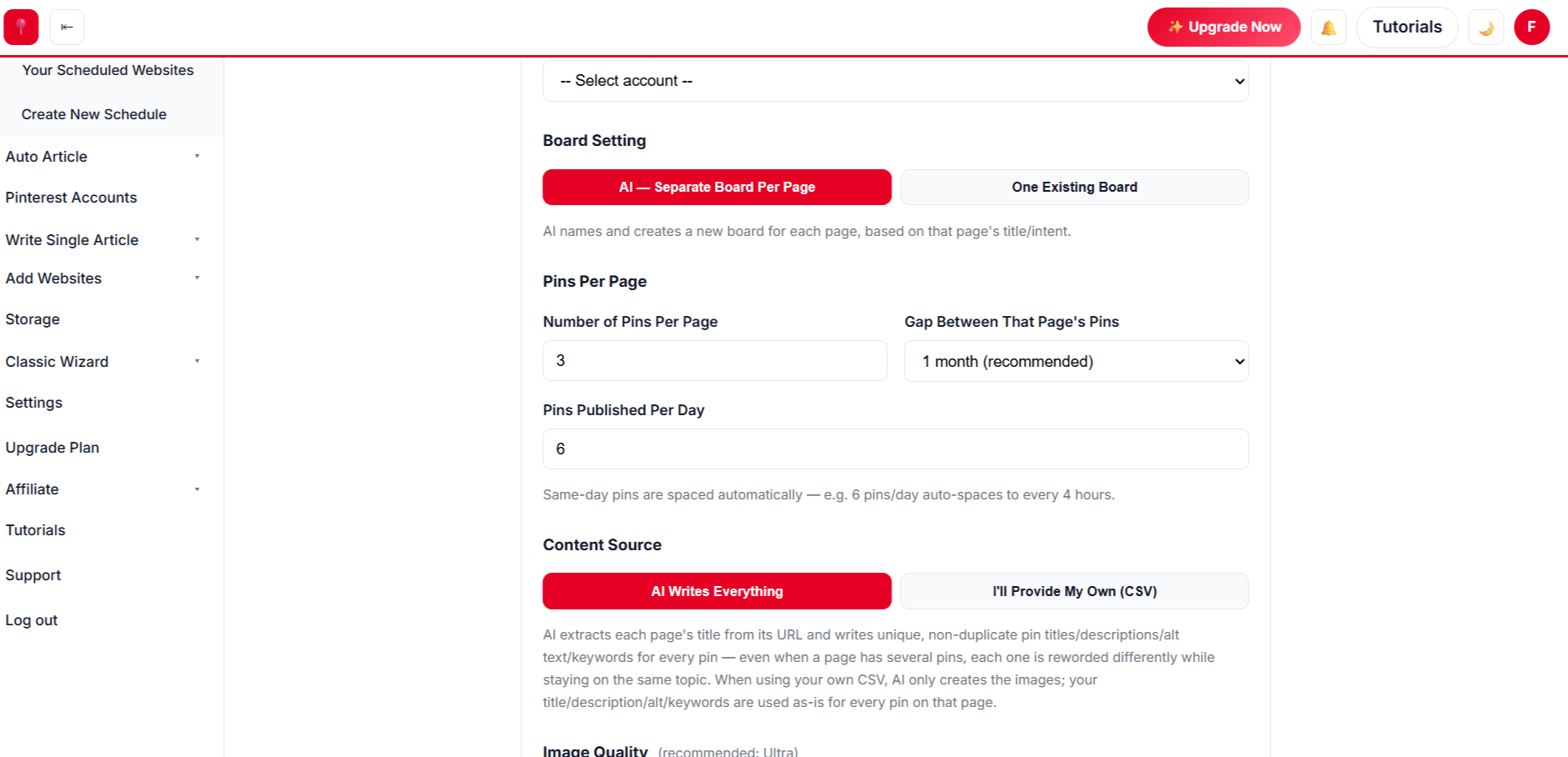
  • βœ“ Pick pins per day β€” the gap between pins is set automatically.
  • βœ“ New Pinterest account? The warm-up mode grows from 1 pin a day to 20 over five months.
  • βœ“ Choose pins per product and how long to wait before a product is pinned again.
πŸš€
Step 4 Β· Review

Review, Approve, Done

  • βœ“ Edit any pin’s text, photos or template before it goes out β€” or remove it.
  • βœ“ Click approve and your whole catalog is scheduled. Anything you don’t approve stays in Drafts.
Reviewing AI-generated Shopify product pins before scheduling
// NEW Β· AUTO BLOG + AUTO PIN

Create Hundreds of Blog Posts With Images, Publish Them and Schedule Pins β€” in 1 Click

Give AI a list of titles for your Shopify store. It writes every article with images, publishes to your website at the pace you choose, and schedules Pinterest pins for each post β€” all in the background.

Sign Up Free & Start Auto Blogging β†’ Auto Blog is available on plans that include it β€” see pricing below.
// WHY SHOPIFY SELLERS USE AUTOMATEDPIN

Everything a Shopify Store Needs to Win on Pinterest

Pinterest users come to plan purchases. These features make sure your products are there when they do.

🧾

Product-aware pin copy

AI reads each product page and writes a title, description, alt text and keywords that match what shoppers search for.

πŸ–ΌοΈ

Uses your real product photos

We pull the featured image and gallery photos from each product page β€” no stock images.

πŸ—‚οΈ

Smart board matching

Products go to the board that fits them best. No fitting board? AI can create one.

πŸ”

Multiple pins per product

Each product gets several different pins β€” new angle, new headline, new template β€” spaced weeks apart.

🏷️

Collection & sale pages

Pin collection pages, gift guides and sale pages as easily as single products.

πŸ‘₯

Team access

Give staff or your agency access through Team Management instead of sharing your login.

// PINTEREST PLAYBOOK

A Simple Pinterest Strategy for Shopify Stores

You don’t need to post all day. You need steady, relevant pins that lead to product pages.

Put It on Autopilot β†’
  1. 1

    Pin products, not just your homepage

    Every product and collection page is a separate entry point. The more pages you pin, the more searches you show up in.

  2. 2

    Use vertical 2:3 images

    Tall pins take up more of the feed. 1000 Γ— 1500 is the safe default for product pins.

  3. 3

    Write for search, not for slogans

    Pinterest works like a search engine. β€œLinen summer dress with pockets” beats β€œOur new favourite”.

  4. 4

    Re-pin with fresh designs

    Give each product a new pin every few weeks with a different photo and headline instead of repeating the same image.

  5. 5

    Plan seasonal products early

    Pinterest users plan ahead β€” pin holiday and seasonal products 30–60 days before the season.

// MANUAL VS AUTOMATED

Manual Pinning vs Automated Shopify Pins

TaskDoing it by handWith AutomatedPin
Designing pinsβœ• Open Canva for every productβœ“ Unlimited free templates applied automatically
Writing titles & descriptionsβœ• Written one by oneβœ“ AI writes keyword-rich copy per pin
Choosing boardsβœ• Pick manually each timeβœ“ AI picks or creates the right board
Posting scheduleβœ• Remember to post dailyβœ“ Set once, publishes on autopilot
New productsβœ• Often forgottenβœ“ Pinned on your next run in minutes
// DATA-DRIVEN GROWTH

Analytics That Show Which Products Sell on Pinterest

See exactly which product pins send shoppers to your store, so you can double down on what sells.

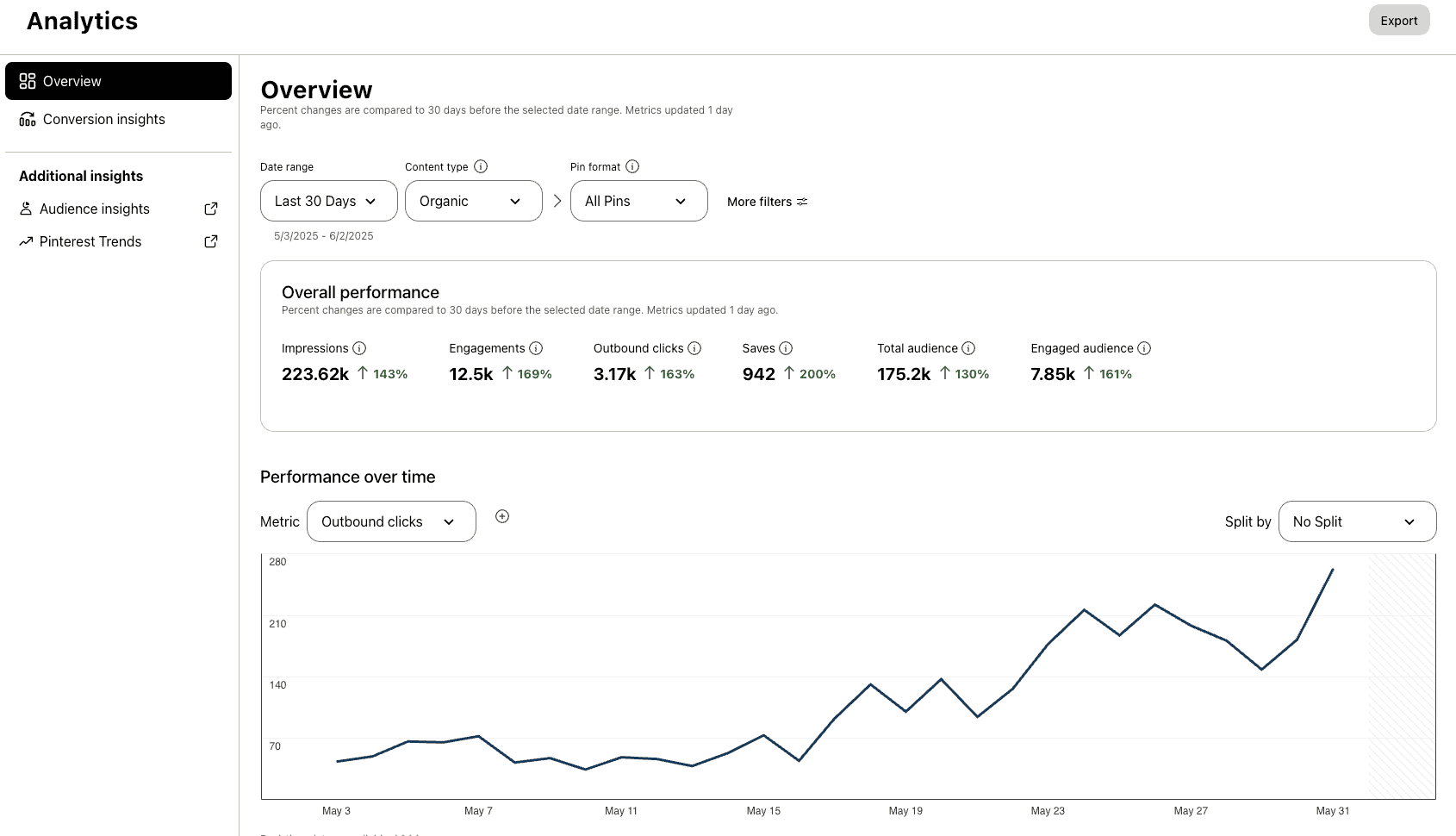
Up to 5x more traffic
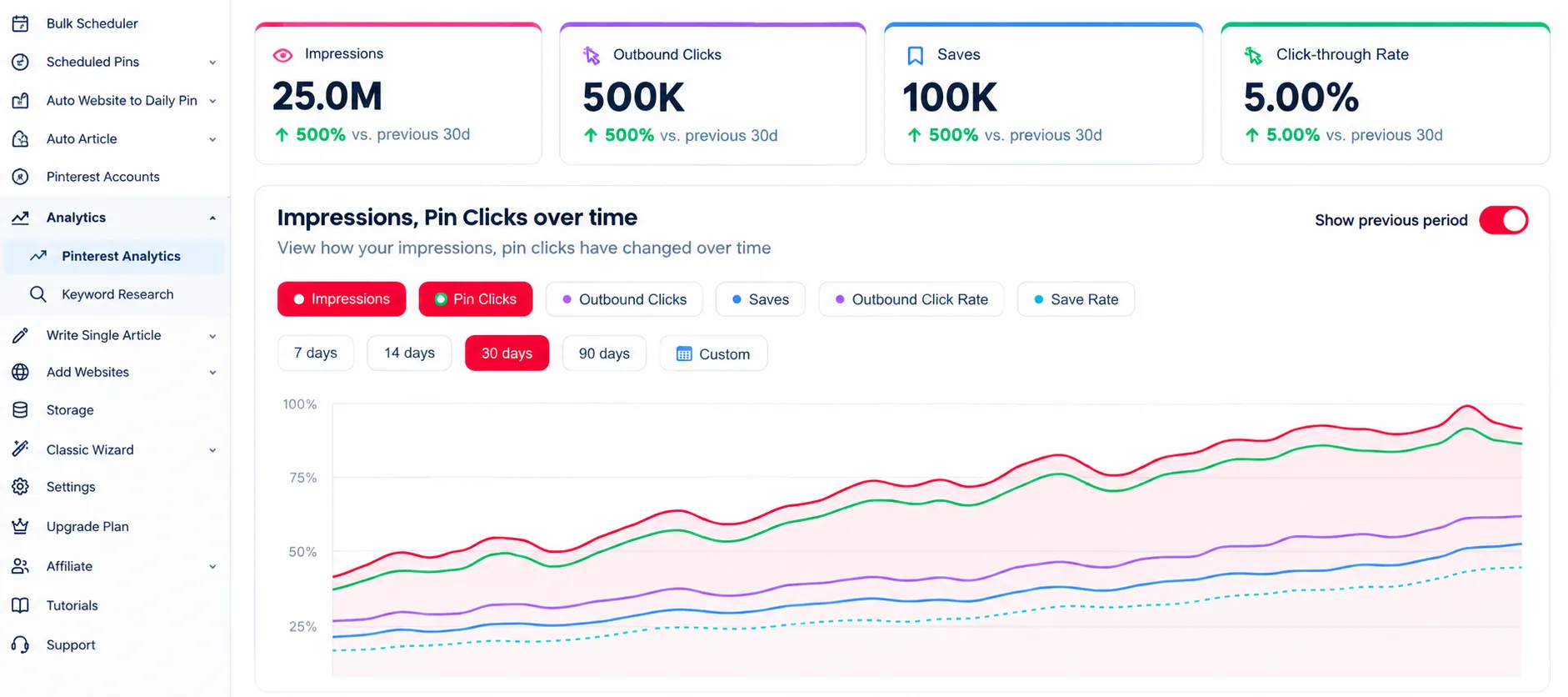
Pinterest analytics dashboard showing Shopify store traffic growth

Analytics

Understand which product pins send Shopify traffic and make data-driven decisions.

47% higher engagement
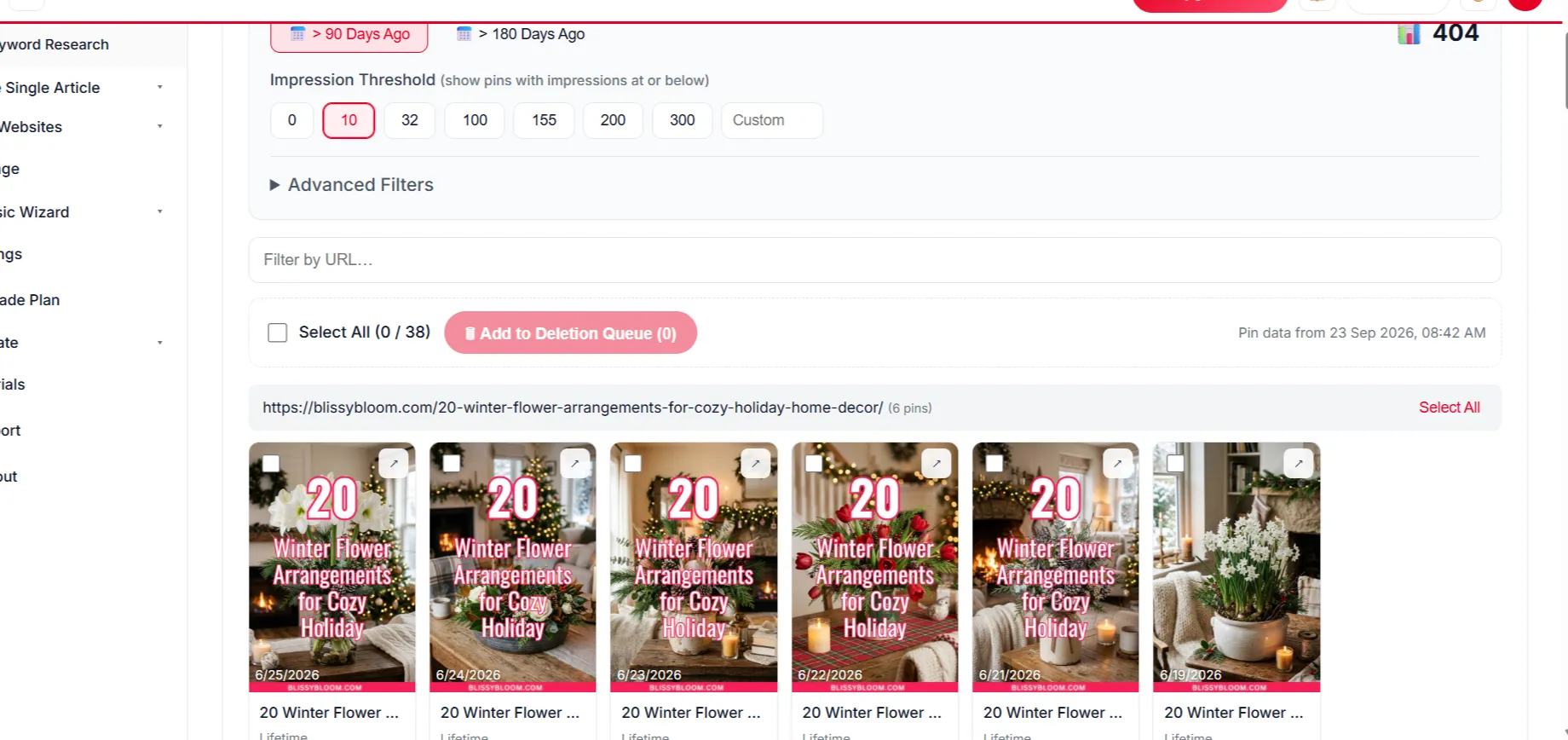
Deleting underperforming Shopify product pins

Delete Underperforming Pins

Delete underperforming product pins to raise your overall engagement rate.

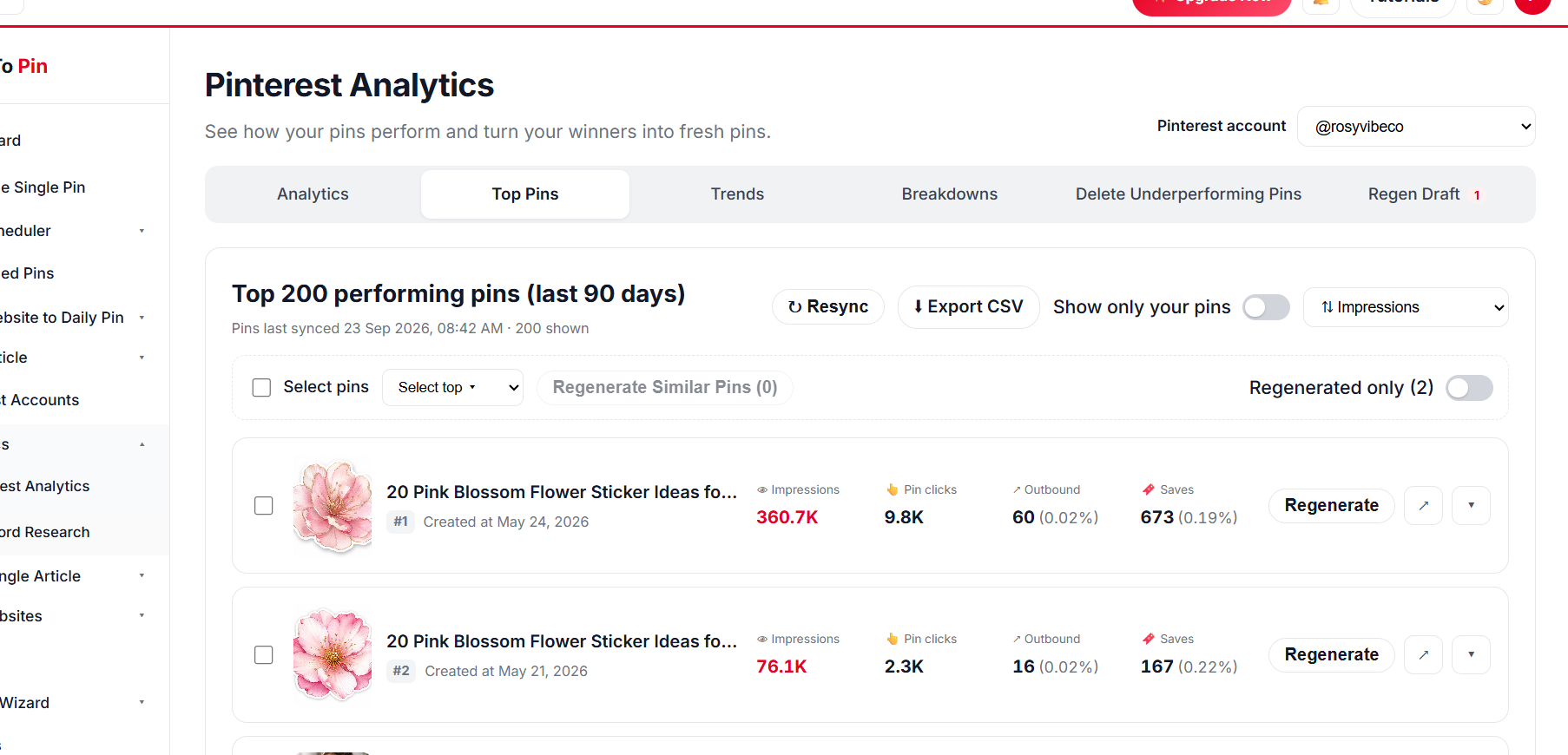
Top pin performance for a Shopify catalog

Top Pin Performance

See which product pins drive the most clicks, saves and store visits.

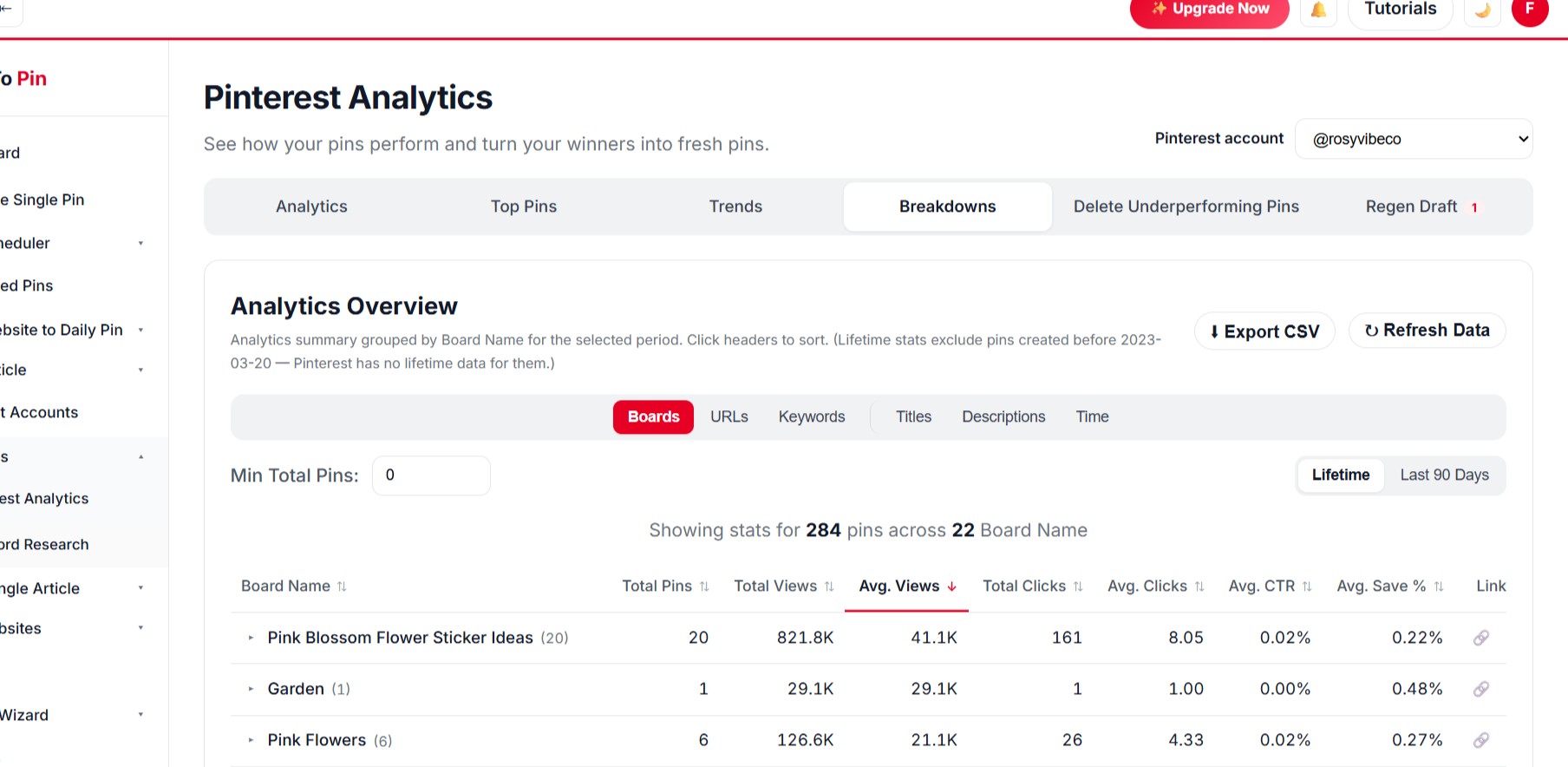
Pin analytics by board, URL, keyword, title and time

Break It Down Any Way You Want

Filter and compare product pin performance across every angle that matters.

BoardsURLsKeywordsTitlesDescriptionsTime
// PRICING FOR SHOPIFY

Start Pinning Your Shopify Products for Free

Create a free account and schedule your first products β€” no card needed. Paid plans start at $39/month when you want more pins, Auto Blog and team seats.

What Our Users Say

Marcus Webb
Marcus Webb
E-commerce Manager
β˜…β˜…β˜…β˜…β˜†
Took a little while to get Auto Blog set up the way we wanted for our product pages, but once it clicked it's been running untouched for two months straight.
Emily Carter
Emily Carter
Content Creator
β˜…β˜…β˜…β˜…β˜…
Being able to hand my assistant a login through Team Management, without giving away my own account, was exactly what I needed.
Ahmed Khan
Ahmed Khan
Affiliate Marketer
β˜…β˜…β˜…β˜…β˜…
Every new post I publish gets turned into pins automatically now. It's the closest thing to "set it and forget it" I've found for Pinterest.
Sarah Mitchell
Sarah Mitchell
Lifestyle Blogger
β˜…β˜…β˜…β˜…β˜…
Bulk Pin Scheduler alone saves me hours every week. I paste in a batch of blog links and it writes the titles, descriptions, and even picks the right board β€” I just review and hit schedule.
Marcus Webb
Marcus Webb
E-commerce Manager
β˜…β˜…β˜…β˜…β˜†
Took a little while to get Auto Blog set up the way we wanted for our product pages, but once it clicked it's been running untouched for two months straight.
Emily Carter
Emily Carter
Content Creator
β˜…β˜…β˜…β˜…β˜…
Being able to hand my assistant a login through Team Management, without giving away my own account, was exactly what I needed.
Ahmed Khan
Ahmed Khan
Affiliate Marketer
β˜…β˜…β˜…β˜…β˜…
Every new post I publish gets turned into pins automatically now. It's the closest thing to "set it and forget it" I've found for Pinterest.
Sarah Mitchell
Sarah Mitchell
Lifestyle Blogger
β˜…β˜…β˜…β˜…β˜…
Bulk Pin Scheduler alone saves me hours every week. I paste in a batch of blog links and it writes the titles, descriptions, and even picks the right board β€” I just review and hit schedule.

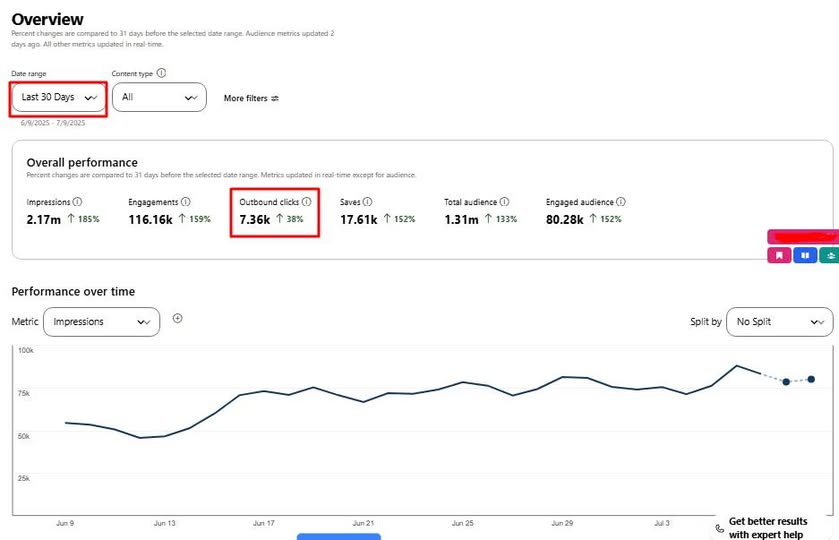
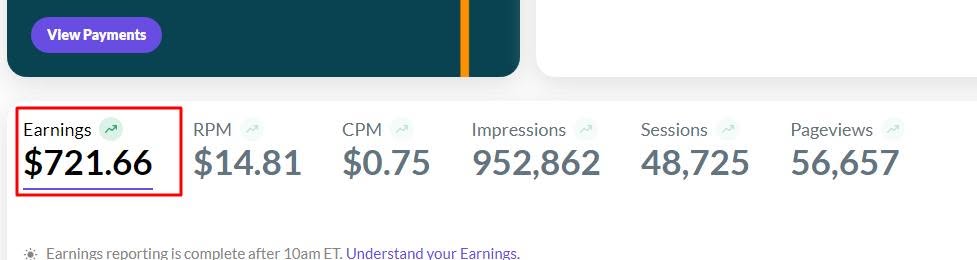
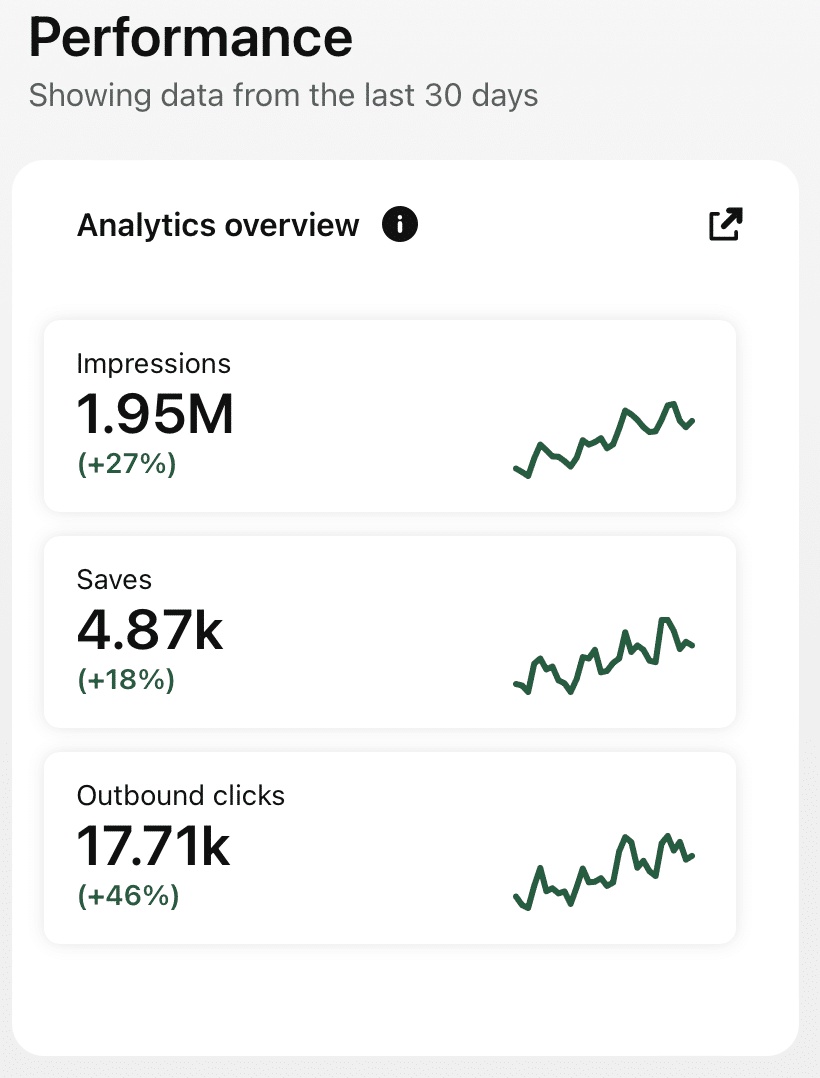
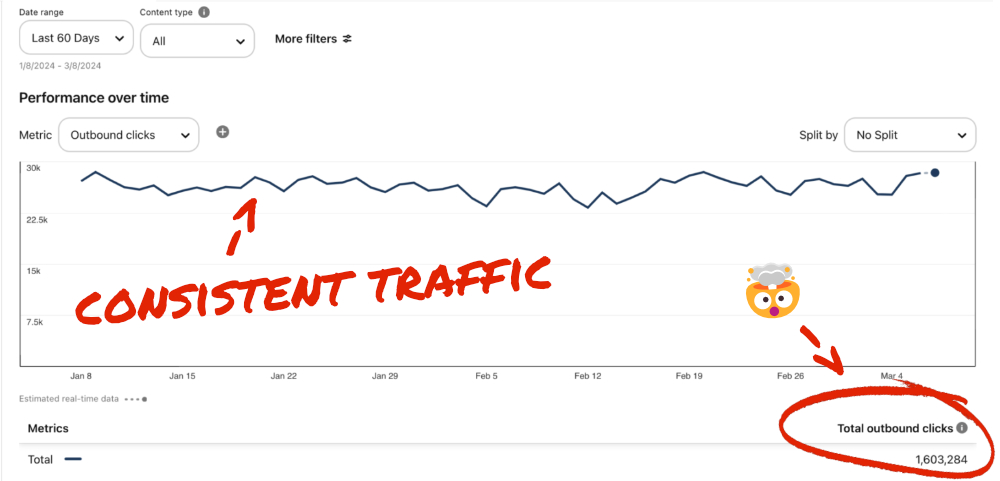
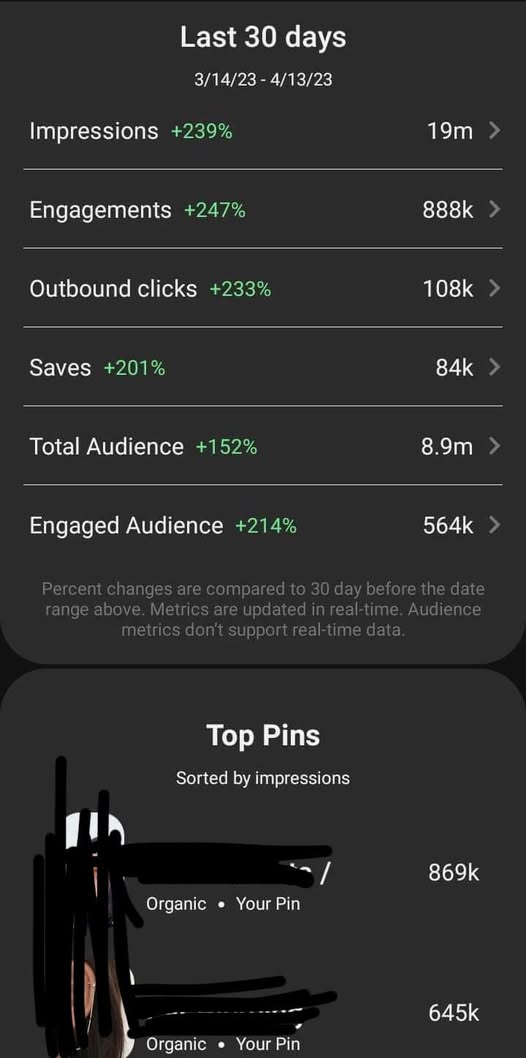
Check Real Results

Real Pinterest results screenshot from a AutomatedPin user
// WHO IT'S FOR

Built for every kind of Shopify seller

From a single-product store to a multi-brand catalog β€” AutomatedPin keeps your Pinterest marketing running.

New Shopify stores

Get on Pinterest from day one β€” every product you list becomes ongoing search traffic without touching a design tool.

Growing DTC brands

Keep pace with a fast catalog β€” new arrivals, restocks and seasonal collections pinned on schedule.

Agencies with Shopify clients

Run Pinterest for every Shopify store you manage from one dashboard, with Team Management instead of shared logins.

Make Pinterest the easy part of Shopify.

Auto-pin your products and bring buyers straight to your store.

Try AutomatedPin Free β†’

Shopify + Pinterest β€” Frequently Asked Questions

Does this work with any Shopify plan or theme?

Yes. We read your public product pages and your store sitemap, so it works with any Shopify plan and theme β€” no app install, no theme edits.

How do new products get pinned?

Run the Classic Wizard again and select the new products β€” or use Auto website-to-daily-pin on plans that include it to keep pinning new pages automatically.

Does it use my product photos and descriptions?

Yes. Pins are made from the photos on each product page, and AI writes fresh pin titles, descriptions, alt text and keywords from the page content. You can edit anything before approving.

Can I choose which products get pinned?

Yes. After scanning your store you can search, select single products or collections, or select everything.

Will it slow down my store?

No. Nothing is installed on your storefront. We only read your public pages when you create pins.

Do I need a Pinterest Business account?

A Business account is recommended because it unlocks Pinterest analytics, but you connect through Pinterest’s official login either way.

Can pins match my store branding?

Yes β€” choose a colour palette or set your own brand colours, pick fonts and templates, or design your own in the free built-in editor.

What if a product sells out?

You stay in control of every scheduled pin and can remove pins for products that are no longer available.

Is there a free way to try it?

Yes. Use the free Pin Maker on this page with no account, or create a free account to scan your store and schedule pins.


// FREE TOOLS

Free Pinterest Tools β€” No Sign-Up Needed

Try these free tools first, then put everything on autopilot.

Ready to put your Shopify store’s Pinterest on autopilot?

Free to start. Pay only when you want more pins live on Pinterest.