📦 For Amazon Associates & Brands

Pinterest Marketing for Amazon Affiliates & Sellers
Pins That Point Buyers to Amazon

Pinterest users search for products to buy. Turn your product reviews, “best of” roundups, gift guides and brand pages into scheduled pins that send ready-to-buy visitors toward Amazon.

  • 📝 Pin Your Reviews, Roundups & Gift Guides Automatically
  • 🏷️ Listicle Templates Built for “Best 10…” Style Posts
  • 🤖 AI Writes Buyer-Intent Titles & Descriptions
  • 📅 Schedule a Year of Affiliate Pins in Minutes
  • 📊 See Which Product Pins Drive Clicks
⚡ Hundreds of pages → pins in 1 click ✍️ AI Auto Blog + auto pins ♾️ Unlimited AI pin designs

Free to start · No credit card needed · Official Pinterest API

⚡

AI Auto-Creates Pin Images for Hundreds of Posts — in 1 Click

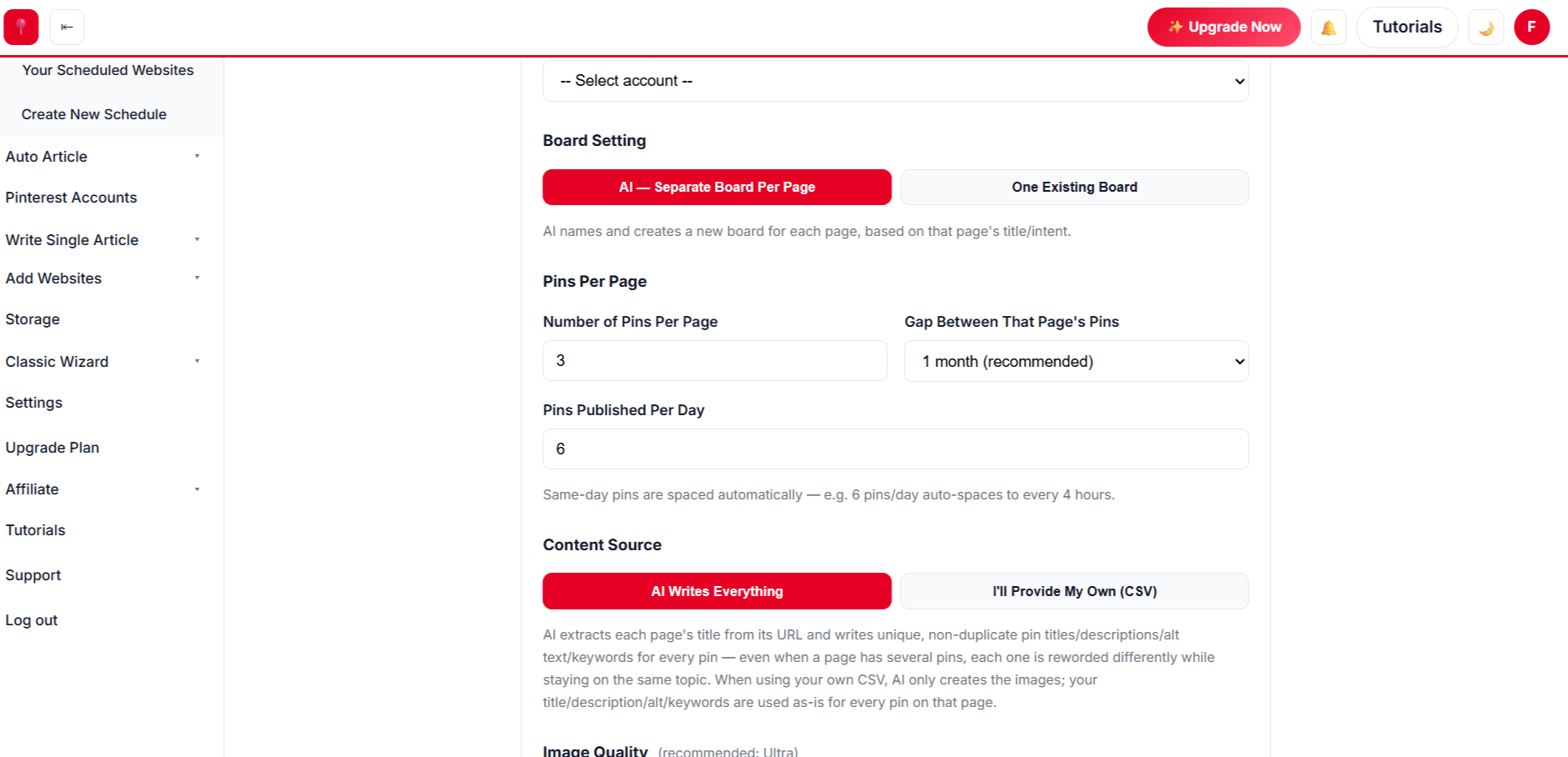
Select hundreds of posts at once. AI designs every pin from your own photos, writes the title, description, alt text and keywords, picks the board and schedules it all.

Create a free account →
✍️

AI Auto Blog: Create, Publish & Pin

Paste a list of titles. AI writes each article with images, publishes it to your site on a daily schedule, and schedules pins for every post automatically.

Sign up free to auto blog →
♾️

Unlimited AI Pin Designs

Unlimited templates, colour palettes and fonts, plus a free Canva-style design editor with every premium feature — AI picks the best look for every page, so no two pins look the same.

Get started free →
📈 Build real growth⏱️ Save hours every week🔁 Runs on autopilot✅ Official Pinterest API

Paste a Review or Gift-Guide Link

We pull the product photos from your post and design pins with buyer-focused headlines.

3 free generations · Unlimited templates · No sign-up needed
Best-of roundupsProduct reviewsGift guidesAmazon findsDeal postsComparison postsHome gadgetsKitchen must-havesBrand landing pagesSeasonal buying guidesBest-of roundupsProduct reviewsGift guidesAmazon findsDeal postsComparison postsHome gadgetsKitchen must-havesBrand landing pagesSeasonal buying guides
// HOW IT FITS AMAZON

The Smart Way to Promote Amazon Products on Pinterest

Pins work best when they lead to a page that helps people decide — your review, your roundup, or your brand page — which then sends them to Amazon.

🧾

Built for review content

Pins link to your review or roundup page, where your affiliate links and disclosures live.

🔢

Listicle-friendly templates

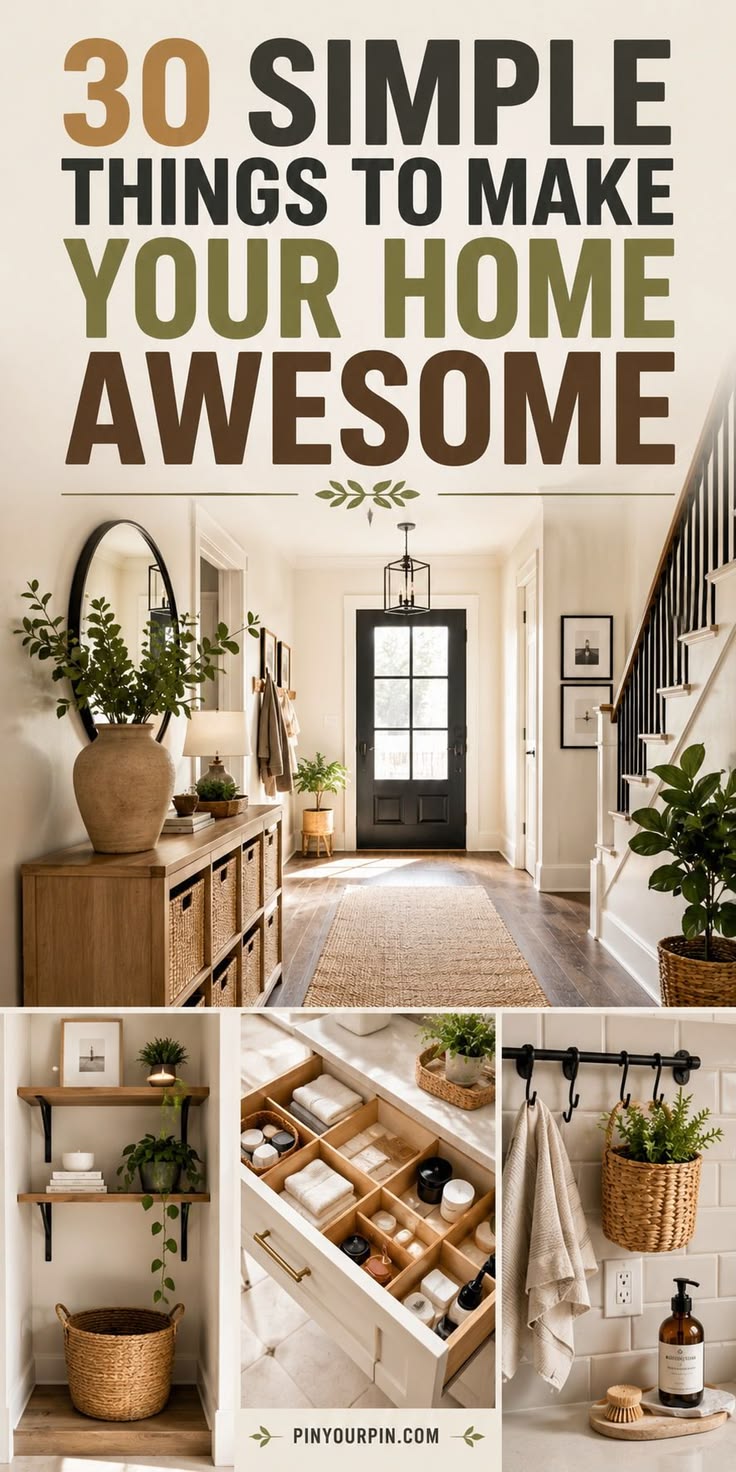
Big-number templates like “15 Kitchen Gadgets Under $25” are made for Amazon roundups.

🛒

Brand owners too

Selling on Amazon with your own brand site? Pin your product and brand pages and send traffic to your listings.

🎯

Buyer-intent copy

AI writes titles and descriptions around what shoppers actually search: “best”, “under $50”, “for small spaces”.

🔁

Many pins per post

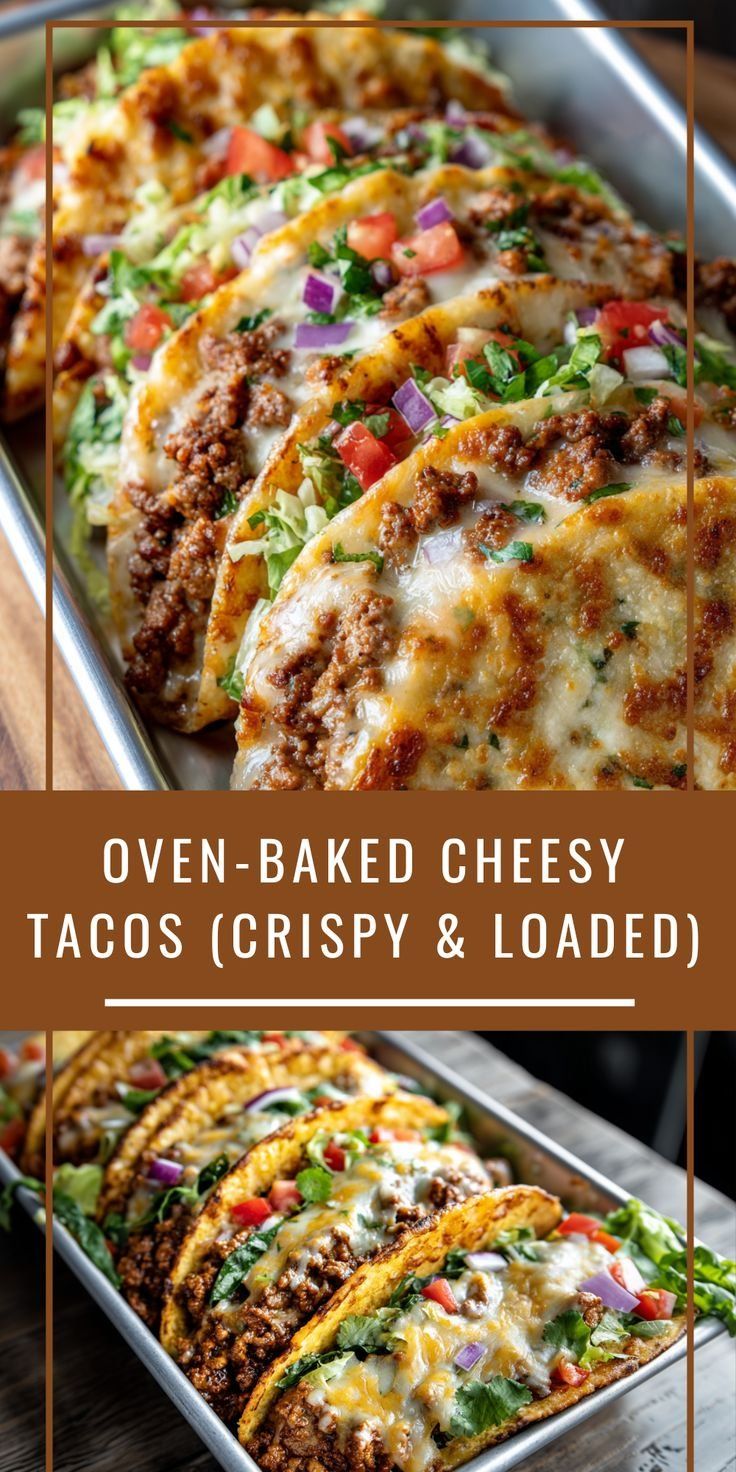
Each roundup gets several pin designs over time, each highlighting a different product photo.

🗂️

Niche boards

Products land on boards like “Kitchen Gadgets” or “Gifts for Him” — AI picks or creates them.

// SEE THE RESULTS

See the Results: Evergreen Affiliate Traffic

A good gift guide or review can get saved and clicked for years. Consistent pinning turns your best posts into a steady stream of shoppers.

0x more traffic, up to
0 days of pins scheduled at once
0+ premium pin templates
0% higher engagement after pruning
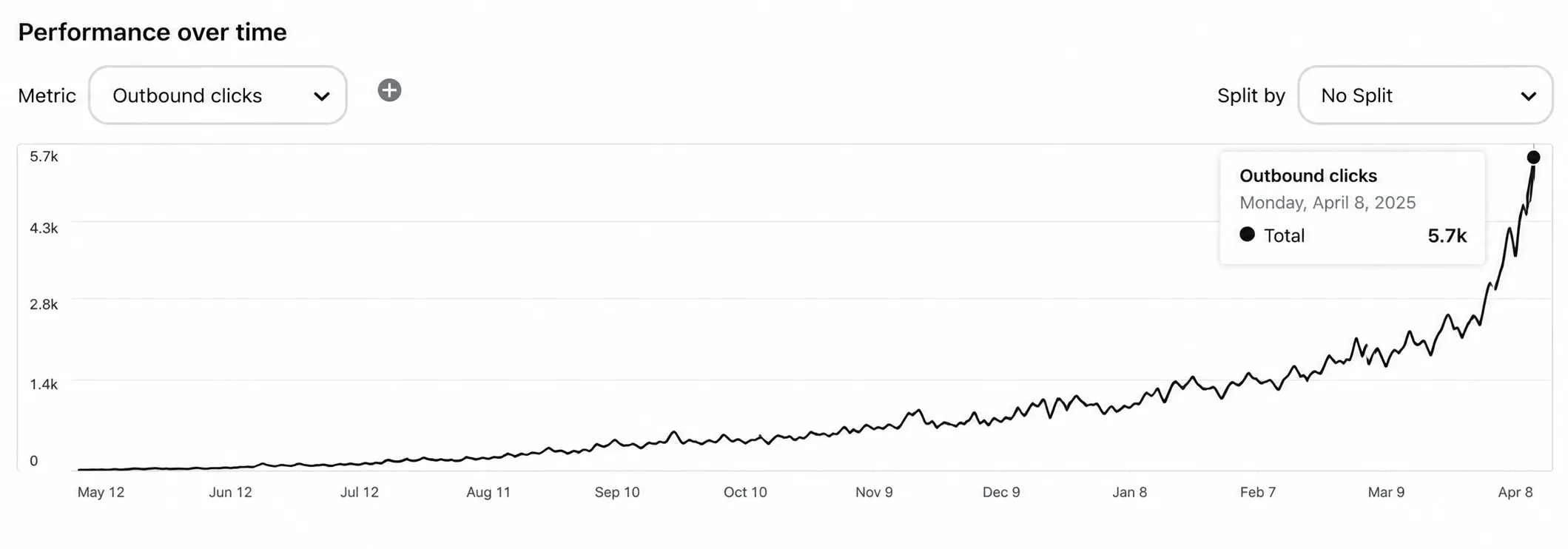
Pinterest traffic growth for an Amazon affiliate website

Illustrative growth curve — actual results vary by niche, content volume and consistency.

Start Free →
Simple 4-Step Process

Affiliate Posts to Pinterest Traffic in 4 Steps

Point us at your website. We find your reviews and roundups, design the pins and publish them on a schedule.

🔎
Step 1 · Setup

Scan Your Review Site

  • ✓ We list every post and page from your sitemap.
  • ✓ Search for “best”, “review” or “gift” and select your money pages first.
🎨
Step 2 · Design

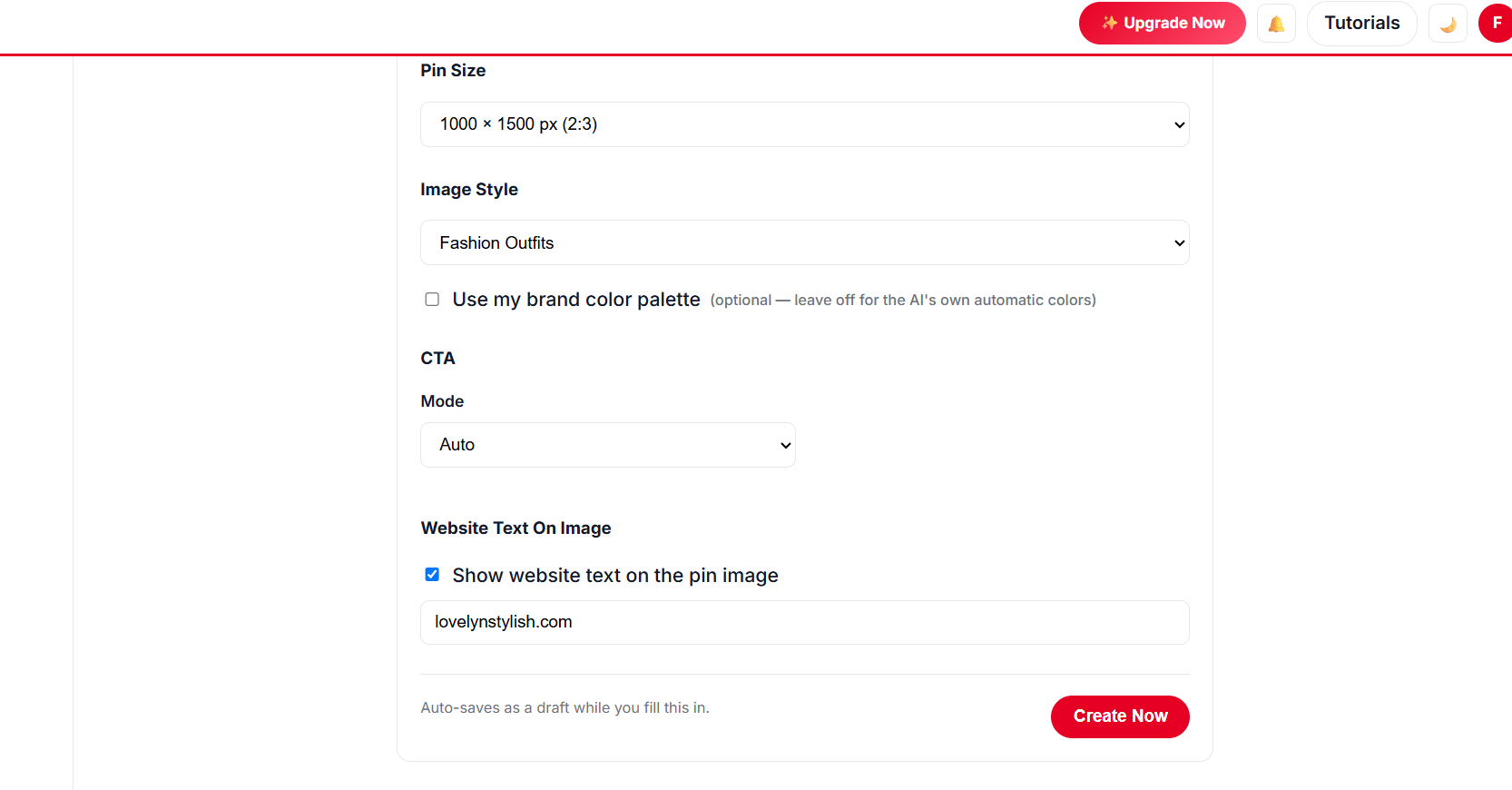
Choose Buyer-Friendly Designs

  • ✓ Number templates for roundups, clean product templates for single reviews.
  • ✓ Collages show several products from one post in one pin.
Choosing listicle pin templates for Amazon roundups
⚙️
Step 3 · Schedule

Pace It for Your Account

  • ✓ Warm-up mode for new accounts, fixed daily pins for established ones.
  • ✓ Several pins per post, spaced weeks apart.
💸
Step 4 · Publish

Approve and Let It Run

  • ✓ Review every pin and its copy, then approve.
  • ✓ Pins publish on schedule while you write your next review.
Approving scheduled affiliate pins
// NEW · AUTO BLOG + AUTO PIN

Create Hundreds of Blog Posts With Images, Publish Them and Schedule Pins — in 1 Click

Give AI a list of titles for Amazon product reviews and gift guides. It writes every article with images, publishes to your website at the pace you choose, and schedules Pinterest pins for each post — all in the background.

Sign Up Free & Start Auto Blogging → Auto Blog is available on plans that include it — see pricing below.
// PINTEREST PLAYBOOK

Pinterest + Amazon: A Playbook That Follows the Rules

Traffic is only useful if it lasts. These habits keep your affiliate pins effective and compliant.

Put It on Autopilot →
  1. 1

    Send pins to your own content first

    Review and roundup pages convert better than bare product links, and they’re where your affiliate disclosure lives.

  2. 2

    Always disclose affiliate links

    Keep a clear disclosure on the page and follow the Amazon Associates Operating Agreement and Pinterest’s rules for affiliate content.

  3. 3

    Use your own or permitted images

    Use product photos from your own post (your own photos or images you’re allowed to use) rather than copying listing images.

  4. 4

    Match the season

    Gift guides and holiday roundups should be pinned 45–60 days early — Pinterest shoppers plan ahead.

  5. 5

    Refresh your best posts

    Update prices and picks in your top roundups, then give them fresh pin designs.

// MANUAL VS AUTOMATED

Manual Affiliate Pinning vs Automation

TaskDoing it by handWith AutomatedPin
Finding posts to pin✕ Scroll your own blog✓ Every post listed from your sitemap
Pin images✕ Design each product collage✓ Collage and listicle templates, auto-filled
Pin copy✕ Write buyer-intent copy by hand✓ AI writes it from your post
Posting✕ Daily manual posting✓ Months scheduled in one run
Tracking✕ Guess what works✓ Pin analytics built in
// DATA-DRIVEN GROWTH

Know Which Product Pins Earn Clicks

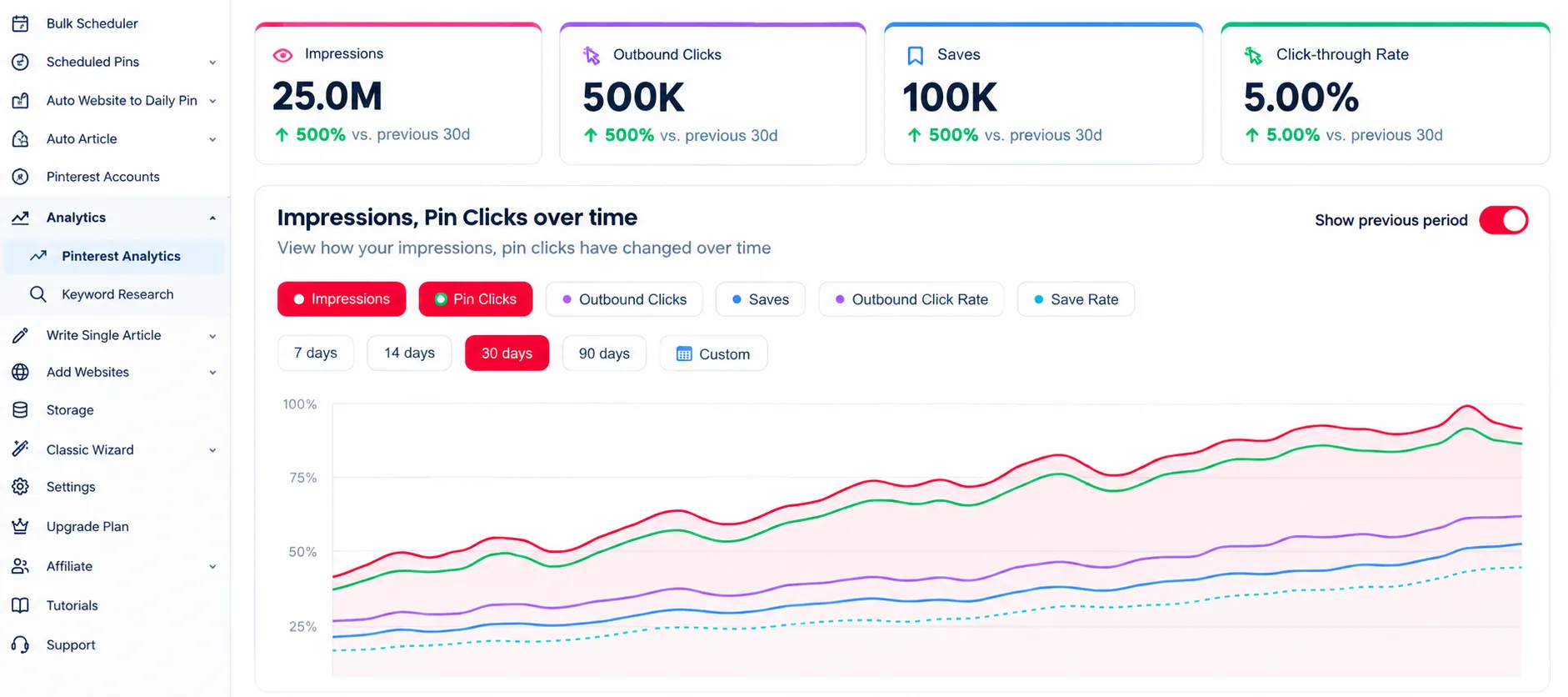
See which roundups and reviews Pinterest sends traffic to, so you know what to write next.

Up to 5x more traffic
Pinterest analytics for Amazon affiliate content

Analytics

Track clicks to every review and roundup.

47% higher engagement
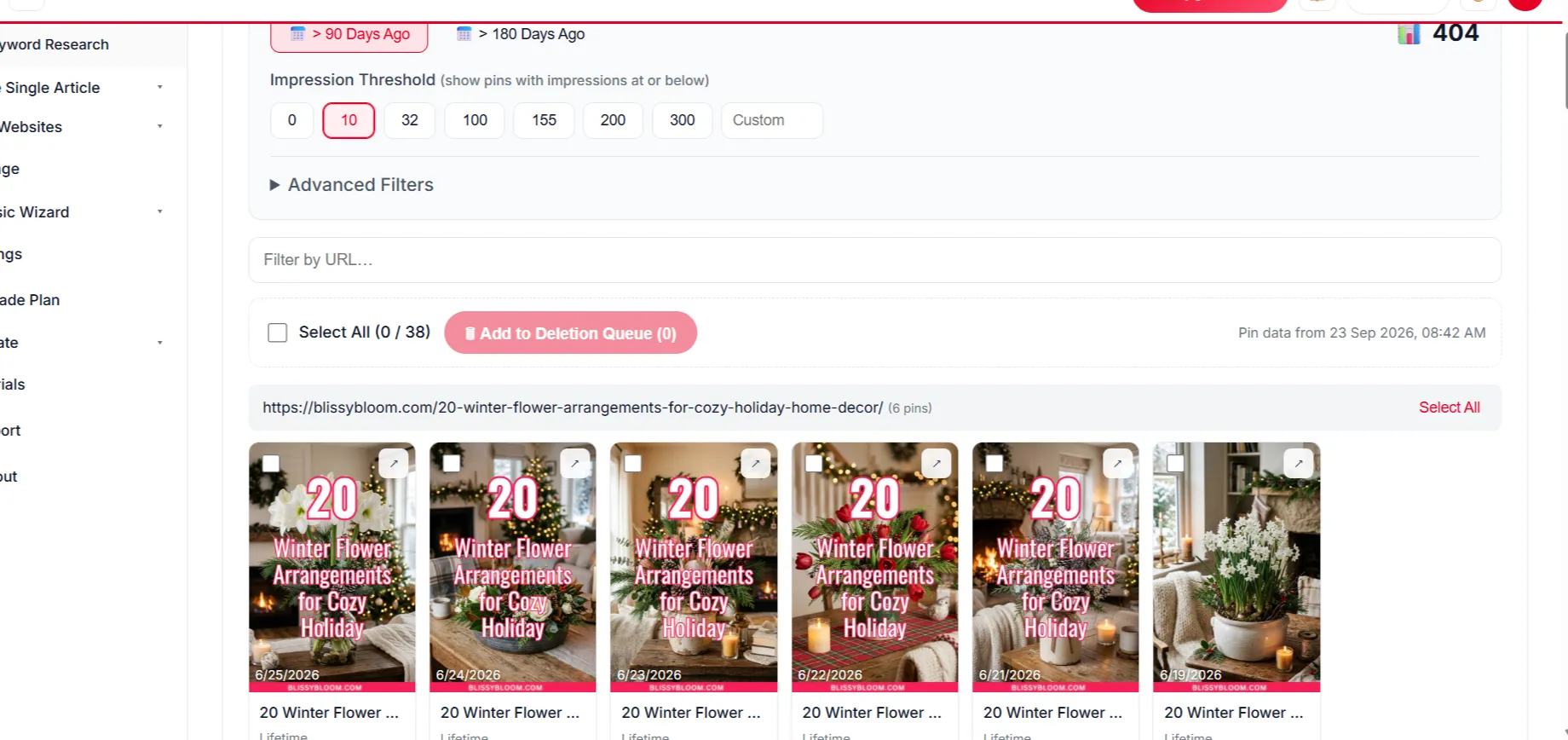
Removing underperforming affiliate pins

Delete Underperforming Pins

Remove weak pins to keep your engagement healthy.

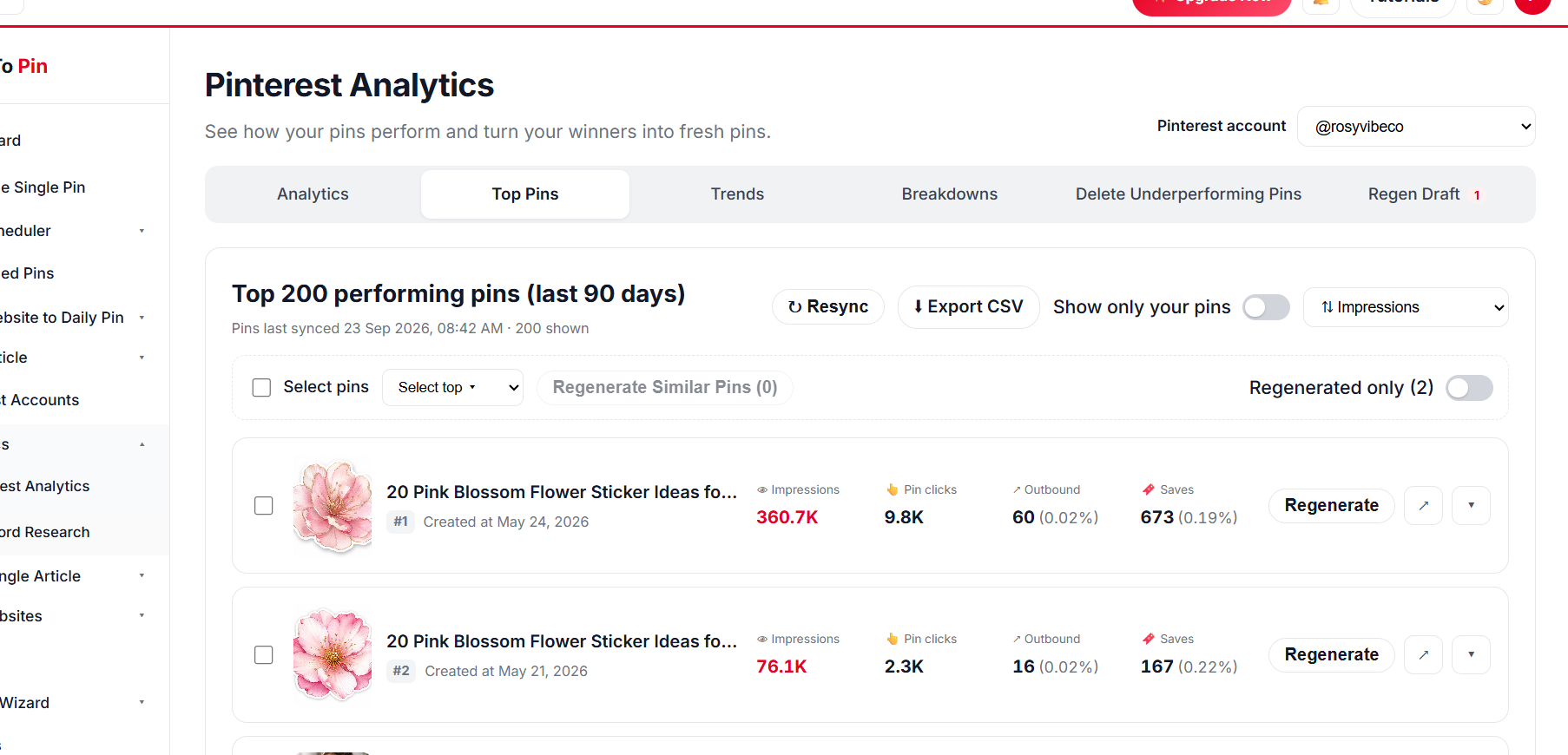
Top affiliate pins

Top Pin Performance

Find your top affiliate posts on Pinterest.

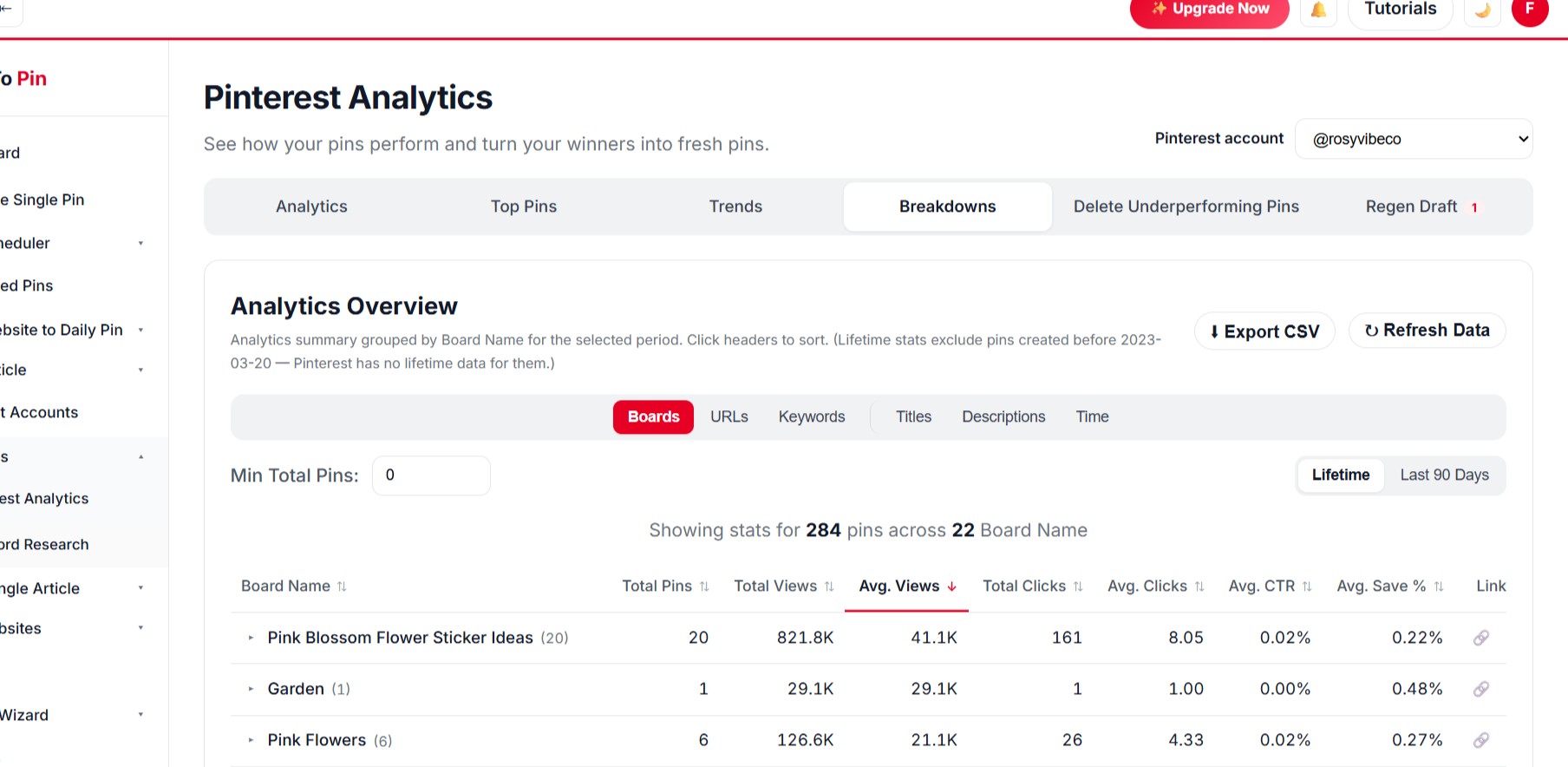
Affiliate pin analytics breakdown

Break It Down Any Way You Want

Break results down by board, URL, keyword, title and time.

BoardsURLsKeywordsTitlesDescriptionsTime
// PRICING FOR AMAZON

Start Pinning Your Amazon Posts for Free

Create a free account and schedule your first posts — no card needed. Paid plans start at $39/month when you want more pins, Auto Blog and team seats.

// WHO IT'S FOR

Perfect for Amazon-focused creators

Anyone whose business depends on sending buyers to Amazon.

Amazon Associates bloggers

Turn every review and “best of” list into a steady Pinterest traffic source.

Amazon FBA brands

Pin your brand site and product pages to build demand beyond Amazon search.

Deal & gift-guide sites

Keep seasonal guides on Pinterest early and consistently, without extra work.

What Our Users Say

Daniel Reyes
Daniel Reyes
Owner, Trail & Table
★★★★★
Connected my Pinterest account in under a minute and had pins scheduled for the whole month by lunchtime. Way less fiddly than anything else I've tried.
Priya Kapoor
Priya Kapoor
Founder, The Home Edit Co.
★★★★★
The AI pin designs actually look good out of the box. I barely touch the brand color setting and every pin already matches my site.
Marcus Webb
Marcus Webb
E-commerce Manager
★★★★☆
Took a little while to get Auto Blog set up the way we wanted for our product pages, but once it clicked it's been running untouched for two months straight.
Emily Carter
Emily Carter
Content Creator
★★★★★
Being able to hand my assistant a login through Team Management, without giving away my own account, was exactly what I needed.
Daniel Reyes
Daniel Reyes
Owner, Trail & Table
★★★★★
Connected my Pinterest account in under a minute and had pins scheduled for the whole month by lunchtime. Way less fiddly than anything else I've tried.
Priya Kapoor
Priya Kapoor
Founder, The Home Edit Co.
★★★★★
The AI pin designs actually look good out of the box. I barely touch the brand color setting and every pin already matches my site.
Marcus Webb
Marcus Webb
E-commerce Manager
★★★★☆
Took a little while to get Auto Blog set up the way we wanted for our product pages, but once it clicked it's been running untouched for two months straight.
Emily Carter
Emily Carter
Content Creator
★★★★★
Being able to hand my assistant a login through Team Management, without giving away my own account, was exactly what I needed.

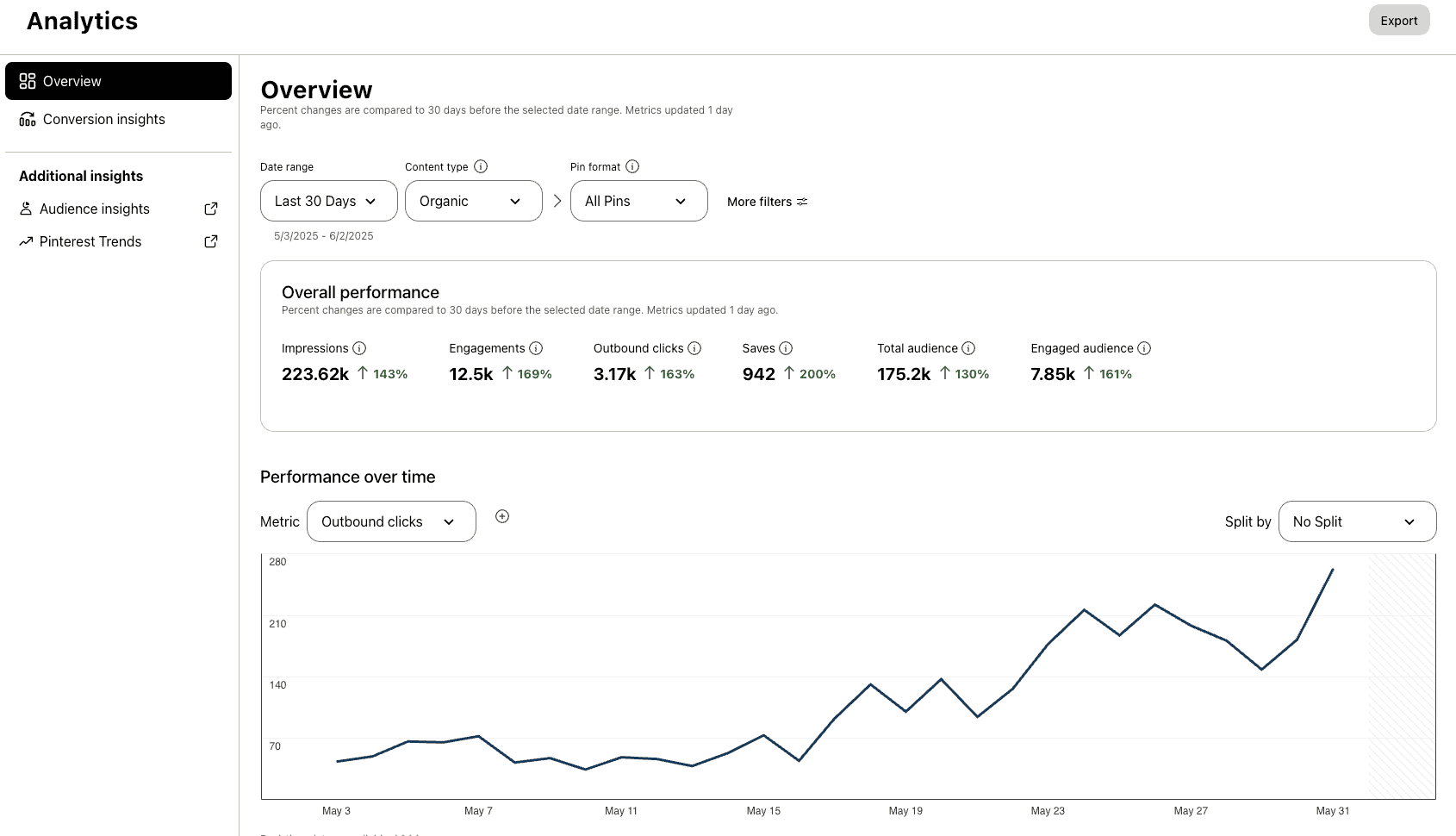
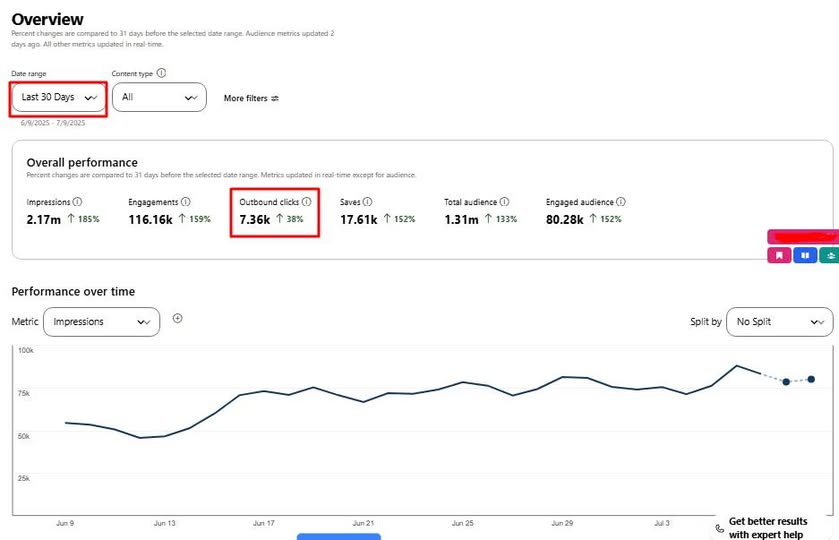
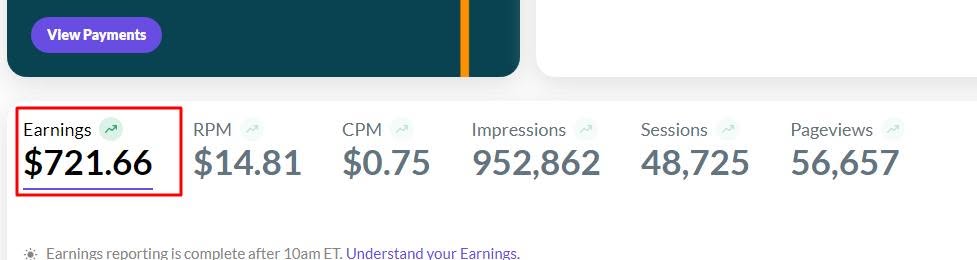
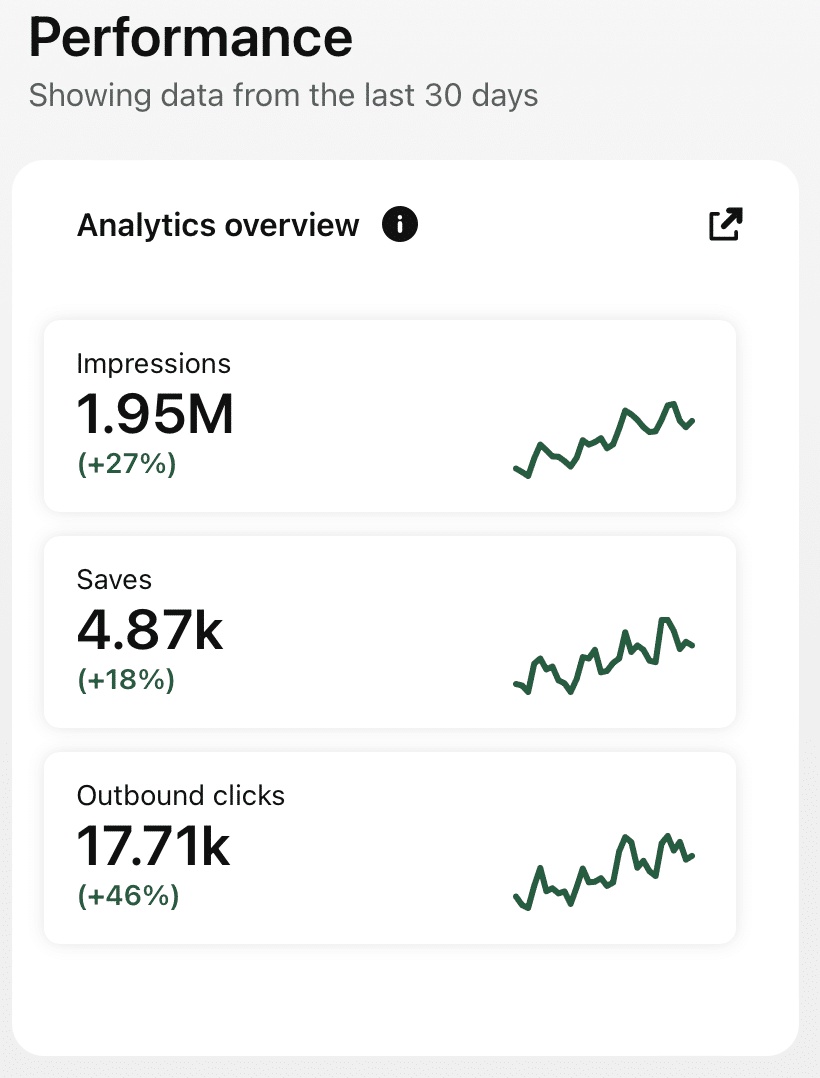
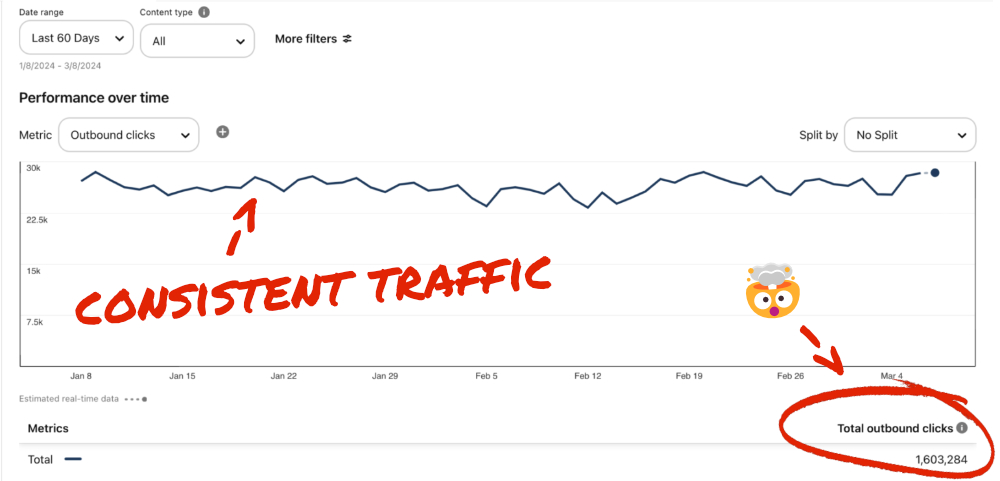
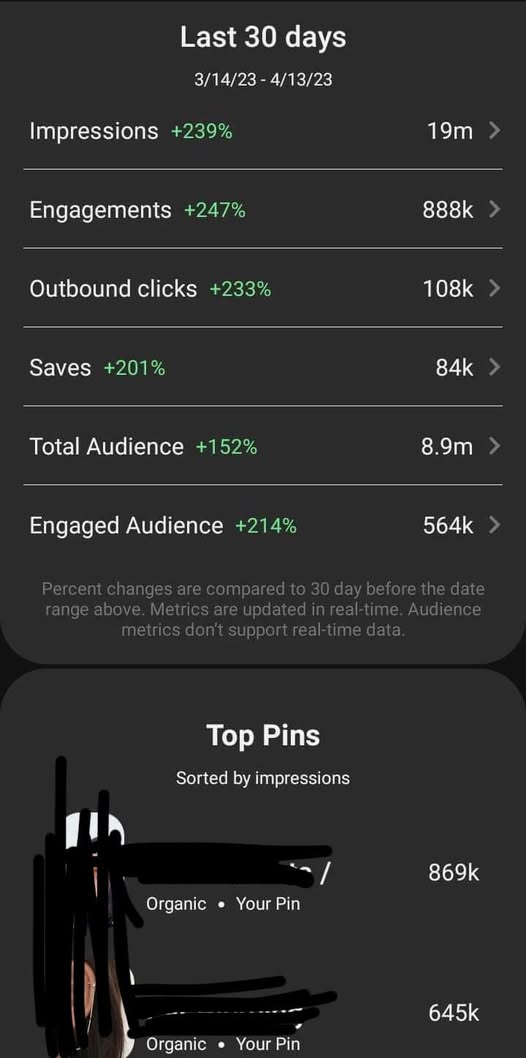
Check Real Results

Real Pinterest results screenshot from a AutomatedPin user

Stop leaving Pinterest traffic on the table.

Put your Amazon reviews and roundups in front of shoppers — daily.

Try AutomatedPin Free →

Amazon + Pinterest — Frequently Asked Questions

Can I pin Amazon product pages directly?

Amazon blocks automated page reading, so pins are made from pages on your own site — your reviews, roundups, gift guides or brand pages — which then link to Amazon.

Is it allowed to promote Amazon affiliate links on Pinterest?

Pinterest allows affiliate content when it is clearly disclosed. Keep a disclosure on your page and follow the Amazon Associates Operating Agreement; check both policies for the latest rules.

Which templates work best for roundups?

Number templates (for example “15 Gadgets Under $25”) and collage templates that show several products perform well for listicle posts.

I sell on Amazon with my own brand. Does this help?

Yes. Pin your brand website’s product and landing pages to build awareness and send shoppers to your listings.

Where do the pin images come from?

From the images on your page. Use your own photos or images you have the right to use.

Can I choose the board for each post?

Yes. Pick boards yourself, or let AI choose — and create new boards when none fit.

How many pins per post can I schedule?

Up to 10 per page, each with a different design and headline, spaced out by the gap you choose.

Is there a free trial?

Try the free Pin Maker on this page with no account, or create a free account to start scheduling.

// FREE TOOLS

Free Pinterest Tools — No Sign-Up Needed

Try these free tools first, then put everything on autopilot.
Make your Amazon content work on Pinterest.

Reviews and roundups, pinned and scheduled automatically.